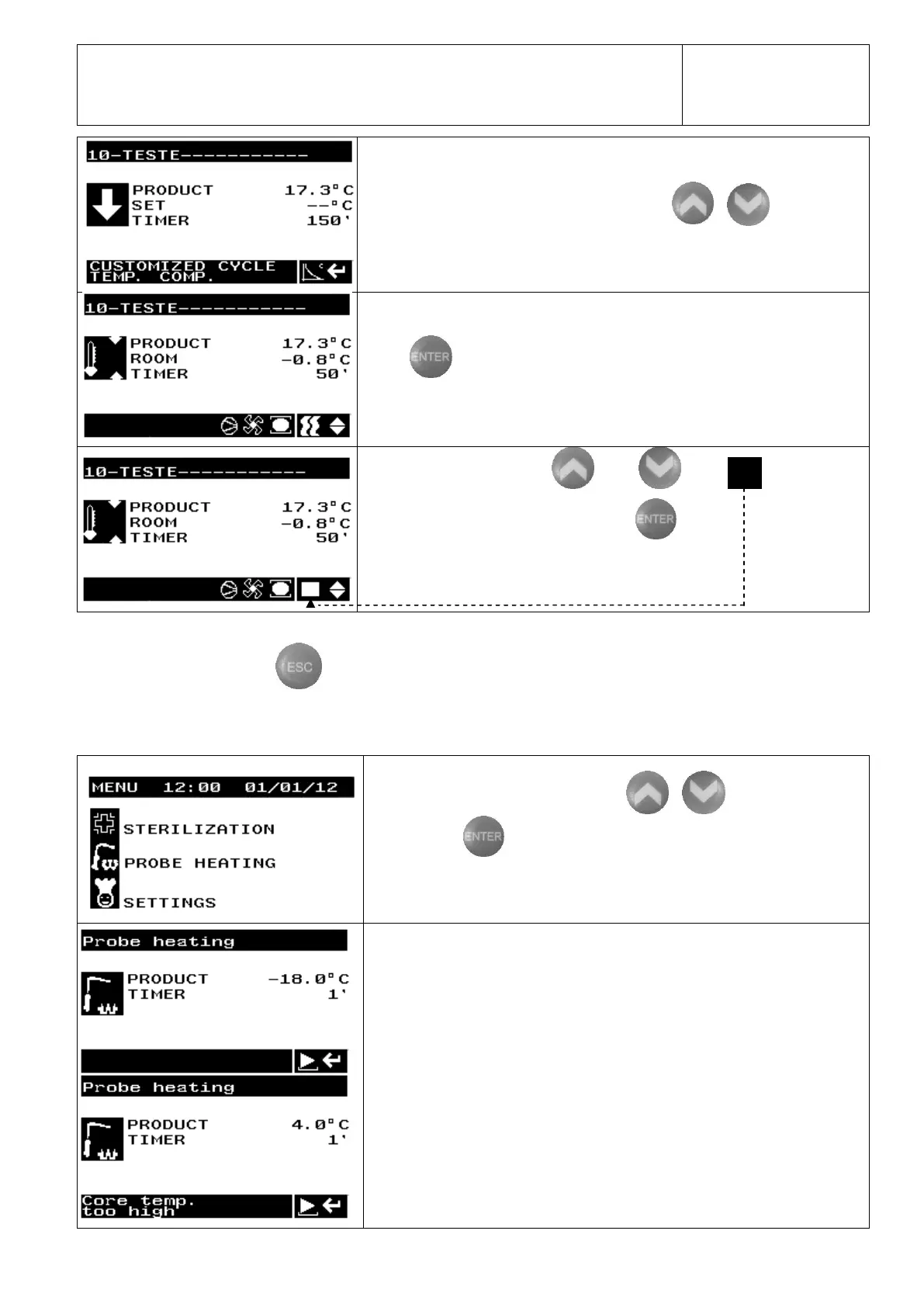
. Choose the desired program using the keys
Press to start the Customized Cycle.
keys select , located in the
Stop the cycle: with the
lower right corner of the display, followed by .
Note: Opening the door for a period exceeding 2 minutes causes an automatic cycle shutdown.
To return to the main MENU press .
4.7.1 Product Probe Release
(except in AB3)
In the main MENU select, with the keys , the option PROBE
HEATING. Then .
The probe will enter into heating mode for two minutes or until it reaches 4ºC.


 To Next Page