Need help?
Do you have a question about the Dickson PRO Series and is the answer not in the manual?
Details software compatibility, PC requirements, cable type, and interface.
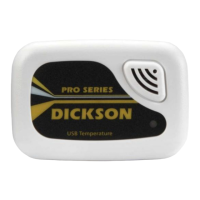
The Dickson SP/TP series of USB data loggers are designed for accurate, easy-to-use, and affordable PC-based temperature recording. These compact, rugged, and battery-powered devices offer versatility in placement, making them suitable for monitoring temperature in various environments. Models are available with either an internal sensor for ambient air temperature readings or both internal and external sensors for monitoring temperatures in extreme or hard-to-reach locations.
The primary function of the Dickson SP/TP series is to log temperature data over time. These devices set a new standard for data recording by offering high accuracy and ease of use in a compact form factor. They are designed to capture temperature information and store it for later retrieval and analysis on a personal computer. The data loggers are capable of storing a significant number of sample points, ensuring comprehensive monitoring over extended periods.
The SP175 model, in particular, boasts an impressive remote temperature range, allowing it to monitor temperatures across a very broad spectrum, from extremely cold to very hot environments. This makes it suitable for a wide array of specialized applications where precise temperature tracking is critical.
The loggers are equipped with visual indicators to provide immediate feedback on their status. A High/Low LED Alarm system alerts users to temperature excursions outside predefined limits, ensuring that critical conditions are promptly identified. A "Unit on" LED indicator confirms that the device is operational, while a flashing LED during setup indicates a delayed start, providing clear communication of the logger's current state.
The Dickson SP/TP data loggers are designed for straightforward operation, starting with the installation of the DicksonWare™ Software. Once the software is installed, users connect the logger to their computer via a supplied USB cable. The software automatically recognizes the logger, populating all necessary fields in the setup window. This ensures a seamless setup process, and any issues with recognition are addressed in the troubleshooting section of the manual. Before starting a new logging session, users can clear any previously stored data with a simple click of the "Clear" button.
The default sample interval for data collection is set to one minute, and a flashing indicator light confirms that the logger is actively sampling. Users have the flexibility to customize various settings, including the sample interval and the start date and time for logging. Any changes made to these settings automatically trigger a clear process to ensure the logger accepts the new parameters. A red LED flash during setup indicates that a delayed start has been configured, providing visual confirmation of the programmed delay.
One of the key usage features is the "Delayed Start" option, which allows users to program a specific number of days, hours, and minutes that must elapse before the unit begins logging. This is particularly useful for planning future monitoring tasks without needing to be present at the exact start time.
The DicksonWare™ Software enhances the user experience by offering "Real Time Monitoring." This feature allows users to observe and graph their process as it happens, providing immediate insights into temperature trends. Data can be printed and saved directly from the real-time screen. However, it is noted that using this feature sparingly is recommended to conserve battery life.
Data analysis is made flexible with the "Customize Graphed Data" feature. DicksonWare™ automatically calculates the minimum, maximum, and average values of all collected data. Users can refine their analysis by eliminating unnecessary data points and customizing the Min, Max, and Average calculations to focus only on desired information, providing a tailored view of the temperature profile.
For further analysis and reporting, the "Export Data" feature allows users to easily export snapshots of their graphs or real-time data points to other popular programs such as Excel™ or PowerPoint™. This facilitates integration with existing reporting workflows and allows for more in-depth data manipulation.
The software also provides user-selectable sample intervals, ranging from as frequent as 10 seconds to as long as 24 hours, offering granular control over data collection frequency. Logger data capacity can be configured to either "wrap data" (overwriting the oldest data once memory is full) or "stop when full," giving users control over how data is managed.
The ability to allow for real-time monitoring and graphing, coupled with effortless exporting of data and graphs to other software, makes the Dickson SP/TP series highly adaptable for various monitoring needs. Data can be viewed in both tabular (numeric/table) and graphical formats, catering to different analytical preferences. Fast downloading of logged data, typically within 30 seconds for a full logger, ensures efficient data retrieval. The software even displays the battery power status for battery-operated loggers, allowing users to monitor and plan for battery replacements.
To conserve battery life when the unit is not in active use or being stored, users are advised to press the Setup button and select the shortest Sample Interval and "Stop When Full" in the Samples section of the software. Alternatively, removing the battery entirely is another effective way to prevent unnecessary power drain.
The devices are designed for a long battery life, typically lasting one year, which minimizes the frequency of battery replacements. The compact size of the logger, fitting in the palm of one's hand, also contributes to ease of handling during maintenance or relocation.
For troubleshooting, users are directed to the tech support page on the Dickson website, which provides comprehensive information and guidance for resolving common issues. This online resource serves as a valuable tool for self-service maintenance and problem-solving.
Regarding software maintenance, the "Click on the features button in the software" provides detailed instructions on how to use all the features mentioned, ensuring users can fully leverage the capabilities of the DicksonWare™ software. This built-in guidance helps users maintain optimal performance and understanding of the device's functionalities.
 General
| Delayed Start | Yes |
|---|---|
| Measurement Parameters | Temperature, Humidity |
| Ambient Operating RH Range | 0% to 95% RH (non-condensing) |
| Ambient Operating Temperature Range | -20°C to +70°C |
| Battery Life | 1 Year |
| Display | LCD |
| Included Accessories | USB Cable, Software |
| Mounting Options | Wall Mount |
| Power Source | 3.6V Lithium Battery |
| RH Range | 0-95% RH |
| Resolution | 0.1°C/°F, 0.1% RH |
| Memory | Non-Volatile |
| Communication | USB |
| Operating Environment | Indoor |
| Weight | 0.14 kg (0.3 lbs) |
| Certifications | CE |

 To Next Page