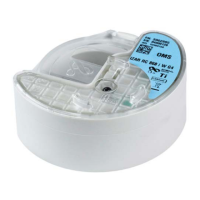
IZAR RDC Battery
2 08/2019
Table of contents
1
Product description ................................................................................................................ 3
1.1 Brief description ................................................................................................................. 3
1.2 Product overview ............................................................................................................... 3
1.3 Package contents ............................................................................................................... 4
2 Product characteristics ........................................................................................................... 5
2.1 Technical data ................................................................................................................... 5
2.2 Dimensions ....................................................................................................................... 5
3 Concentrator Installation ........................................................................................................ 6
3.1 Usage precautions ............................................................................................................. 6
3.2 SIM card installation .......................................................................................................... 6
3.3 Connecting the battery pack ............................................................................................... 7
3.4 Cover installation ............................................................................................................... 7
3.5 Connecting the inputs/outputs ............................................................................................ 8
3.6 Connecting the external power supply (optional) ................................................................. 9
3.7 “Data logger radio” mode (optional).................................................................................... 9
3.8 Wall mounting and screw fixing ........................................................................................ 10
4 Configuration / starting up .................................................................................................... 10
5 Identification ....................................................................................................................... 10
6 Maintenance ........................................................................................................................ 11
6.1 Battery pack replacement ................................................................................................. 11
7 Troubleshooting ................................................................................................................... 12
7.1 LED information ............................................................................................................... 12
7.2 Diagnosis ........................................................................................................................ 12
8 Regulations ......................................................................................................................... 13
9 Open source software notice ................................................................................................ 13


 To Next Page