Charging:
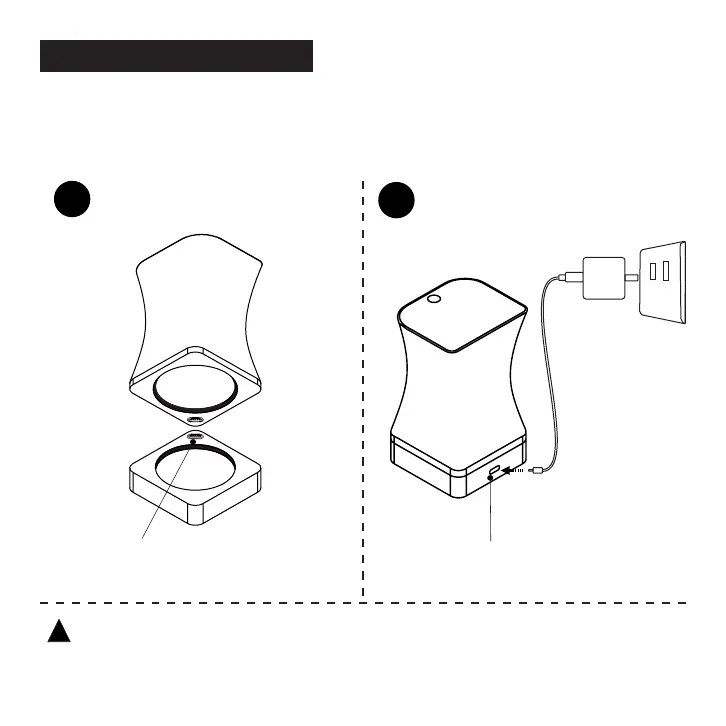
Please ensure that the battery is fully charged. Attach the Omni Main Unit to the
Particle Analysis Tray and connect the included charging cable to the USB-C port
of the side of the Particle Analysis Tray for charging.
Note: If you turn on the device during charging, the device will rst display the"DiFluid"
page, and then enter the charging status page. You need to short press the button again
to enter the "READY" page.
!
Charging and Icons
Attach the Omni Main Unit to the
Particle Analysis Tray.
Plug charging wire into the port of
particle tray.
1 2
5


 To Next Page