The DT-47FT Uses One AAA Battery
The DT-47FT is powered by one AAA battery, which allows the instrument to run for about 500 hours.
LOB will be displayed when the batteries are within a few hours of going dead.
Replacing the battery is easy. Remove the battery door on the back of the instrument. When replacing the
battery, be sure to observe battery polarity.
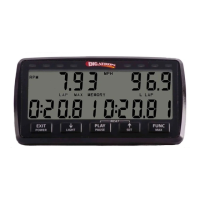
Button Functions Defined
DC/← Calibration: Decreases the value of the calibration number being set. Hold this button
down for the number to change faster.
Test: Hold this button down to perform FT2, direct current conductivity.
Recall: Selects the previous group for display.
Store/Autocal Calibration: Press this button to automatically calibrate FT1 to –75 and FT2 to 0.
Test: With the sensor covered in the fuel, press this button to perform and store all three
tests. Recall: Button not used.
Temp/→ Calibration: Increases the value of the calibration number being set. Hold this button
down for the number to change faster.
Test: While this button is held down, the instrument will display temperature in °F.
Recall: Selects the next group to be displayed.
Next Calibration: Steps to the next calibration section.
Test: Button not used. Recall: Selects the test in the selected group to be displayed.
Recall Calibration: Button not used. Test: Instrument enters Recall mode.
Recall: Hold this button down to see the group number that is selected.
Power/Exit Powers on the instrument. Calibration: Press this button to exit Calibration mode and
return to Test mode. Test: Powers off the instrument.
Recall: Press this button to exit Recall mode and return to Test mode.
DC & Next Press these buttons at the same time to clear the memory of stored tests. Press and hold
until the display shows PrS rEC, then press the Recall button.
Temp & Power Press these buttons at the same time to enter Calibration mode. The display flashes while
the instrument is in Calibration mode.
Repairs and Warranty Information
If you have any questions about the operation of your instrument, please call. One of our technicians will
be happy to help you. Please have your instrument nearby to help while troubleshooting with the
technician.
With the exception of physical damage and normal wear, there will be no charge for service required on
internal parts for two years from date of purchase and for external parts for one year. Be sure to fill out and
return your warranty card for our records. If we do not have a card on file for your instrument, you will be
charged for repairs unless you can provide us with a proof of purchase date.
When returning an instrument for repair, please use the repair form found on our website or enclose a note
indicating your return address, phone number and a detailed description of the problem. Send your
instrument and sensors so that we can check the complete system.
Send repairs to:


 To Next Page