Need help?
Do you have a question about the DIGI-STAR EZ3400 and is the answer not in the manual?
Voltage and current needed for indicator operation.
Indicator's environmental protection rating (IP65).
Method for accessing indicator setup and calibration.
Guidelines for cleaning the indicator unit safely.
Safety measures for battery charging and welding.
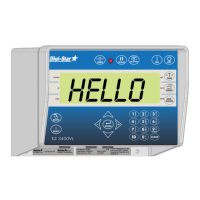
Description of the indicator's display screen.
Explanation of the functions of various indicator buttons.
Identification of indicator ports for peripherals.
Procedure to power on and zero balance the indicator.
Using tare functions and switching between Net/Gross weights.
How to use the print key to send data to a printer or PC.
Using memory functions for weighing multiple items.
Steps to calculate the average of multiple weights.
Setting a target weight for loading or unloading.
Using Load/Unload and Net modes for tracking amounts.
Using the built-in timer for mixing operations.
Clearing, reviewing, and printing accumulated values.
Managing ingredient names and the number of entries.
Configuring early warning alerts based on weight or percentage.
Setting up automatic advancement and tolerance levels.
Configuring mixer rotation counting and drive ratio.
Procedure for navigating through the indicator's menus.
Selecting the method for entering recipe ingredients.
Renaming existing ingredients in the recipe table.
Steps for creating and modifying recipes.
Printing single or all recipes from memory.
Steps to initiate and begin running a recipe.
Specifying the number of animals for the recipe.
Indicator display upon completion of a recipe.
Using the hold mode to prevent weight changes.
Adjusting the display backlight brightness.
Explanation of options activated by Function/Select keys.
Configuring language, display rate, motion, and weigh method.
Setting time, date, print formats, and communication options.
Settings for display units, capacity, and analog outputs.
Steps for performing dead weight, setup, and calibration.
Various methods for mounting the indicator unit.
Wiring diagram for indicator and peripheral connections.
Procedure for connecting load cells to the J-Box.
Description of the wireless remote control system.
Sensor for counting mixer or PTO rotations.
Overview of available remote display units.
Step-by-step guide for diagnosing indicator issues.
Diagnosing problems related to connections and power supply.
Procedures for testing and analyzing load cell performance.
Information on US (NTEP) and Canadian certifications.
Specific modifications made for regulatory compliance.
Audit trail system to prevent unauthorized parameter changes.
 General
| Brand | DIGI-STAR |
|---|---|
| Model | EZ3400 |
| Category | Accessories |
| Language | English |

 To Next Page