
 Need help?
Do you have a question about the DIGI-STAR EZ3600 and is the answer not in the manual?
Instructions to verify system functionality before operation.
Precautions during battery charging and welding operations.
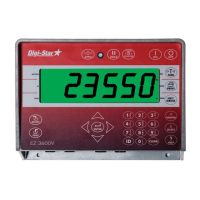
Describes the function of each button on the weighing indicator's control panel.
Details the various ports for data transfer, display, load cells, and power.
Step-by-step guide to powering on the weighing indicator.
Step-by-step process for loading recipes.
Process for selecting and loading a recipe.
How to feed groups of ingredients in this mode.
Explains three methods for entering ingredient data into a recipe.
Detailed steps for creating a new recipe.
How to input specific amounts for ingredients in a recipe.
Process to modify existing ingredient amounts within a recipe.
Steps to remove a recipe from the system.
How to retrieve and display existing recipes.
Guide for loading recipes based on animal count.
Troubleshooting power supply and cable connections.
Troubleshooting problems with the weighing indicator itself.
Steps for checking J-Box, cables, and potential interference.
Procedure to test load cell cables by disconnecting them.
Guidance on replacing the J-Box and identifying interference.
Testing each load cell individually for proper function.
 General
| Category | Controller |
|---|---|
| Power Supply | 12 VDC |
| Enclosure Rating | IP65 |
| Display | LCD |
| Communication | RS-485 |
| Inputs | 4 digital inputs |

 To Next Page
