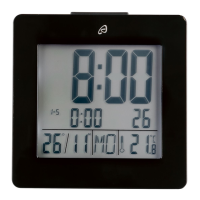
Alarm setting and snooze feature
The clock has 2 separate alarm times. Press and hold SET to set
Alarm 1 or SET for Alarm 2.
The hours of the alarm time will blink on the display. Set the hours by
pressing UP or DOWN and confirm your selection by pressing MODE.
The minutes of the alarm time will blink on the display. Set the minutes
by pressing UP or DOWN and confirm your selection by pressing
MODE.
The alarm is now automatically activated and the symbol or will
appear on the display.
The alarm can be deactivated or reactivated by pressing the
correspoding button SET or SET.
Press SNOOZE/LIGHT when the alarm sounds to activate the snooze
feature. The Zz symbol will blink on the display.
The alarm will sound again after 5 minutes.
Press the button of the alarm (SET or SET) to deactivate the alarm.
Light
Press SNOOZE/LIGHT to temporarily activate the light.
Warranty
We provide a 3-year warranty for this item. The warranty period starts
from the date of sale (receipt, proof of purchase). Within this period we
rectify all faults which are attributable to material and manufacturing
defects at no cost. For damage which is caused by improper treatment,
e.g. dropping, knocking, or water damage, there is no warranty claim.



 To Next Page