Pro Tools Reference Guide144
Window Display Settings Stores only the window
display settings for the selected window (Edit,
Mix, Targeted MIDI Editor, Score Editor, or
Transport):
• Edit Window Display Settings
• Width of the Track List and Group List
• Height of the Track List
• Width of the Region List
• What rulers are shown (the main ruler is al-
ways shown)
• What track columns are shown (such as In-
serts, Sends, or Comments)
• Tempo editor display
• Whether Transport controls are shown in
the Edit window
• Edit Window Toolbar arrangement
• Mix Window Display Settings
• Width of the Track List and Group List
• Height of the Track List
• What track rows are shown (such as Inserts,
Sends, or Comments)
• Narrow/wide mixer view
•Score Editor
•MIDI Editor (Targeted)
• MIDI Editor (Untargeted)
• Transport Window Display Settings
• Counters display
• MIDI controls display
•Expanded view
Comments Lets you type comments for the Win-
dow Configuration.
Window Configuration Commands and
Options
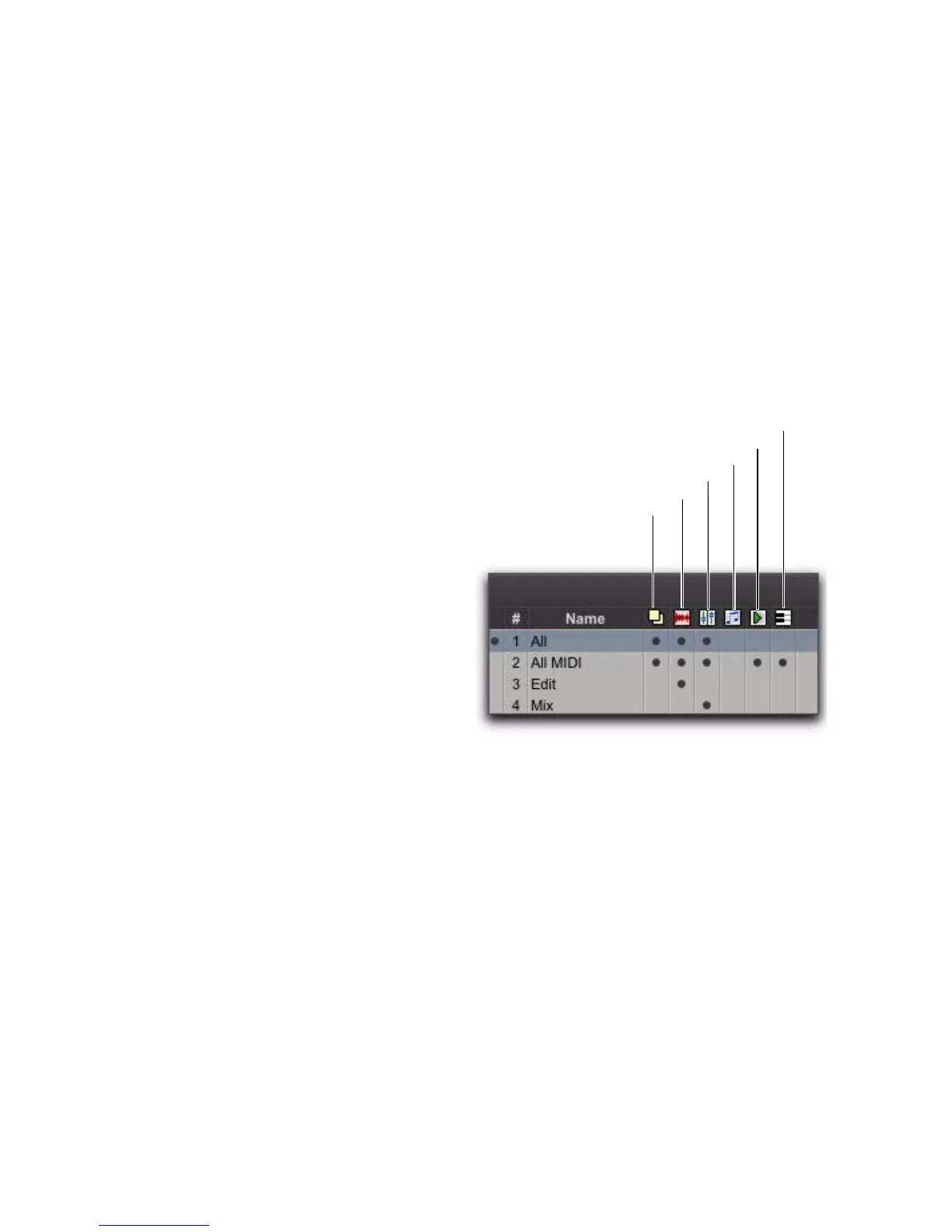
View Filter Icons
Using the View Filter icons, the Window Config-
uration List lets you show or hide Window Con-
figurations based on whether or not they are
stored with Window Layout, Edit Window set-
tings, Mix Window settings, Score Editor win-
dow settings, MIDI Editor Window settings, or
Transport Window settings.
To show or hide Window Configurations in the
Window Configuration List, do one of the following:
Click the View Filter icon to show or hide
Window Configurations that include that prop-
erty (Window Layout, Edit Window Settings,
Mix Window Settings, Score Editor Window Set-
tings, MIDI Editor Window Settings, or Trans-
port Window Settings).
– or –
Select or deselect the View Filter item in the
Window Configuration List pop-up menu.
Window Configuration List view filter icons


 To Next Page
 Loading...