Chapter 11: Tracks 165
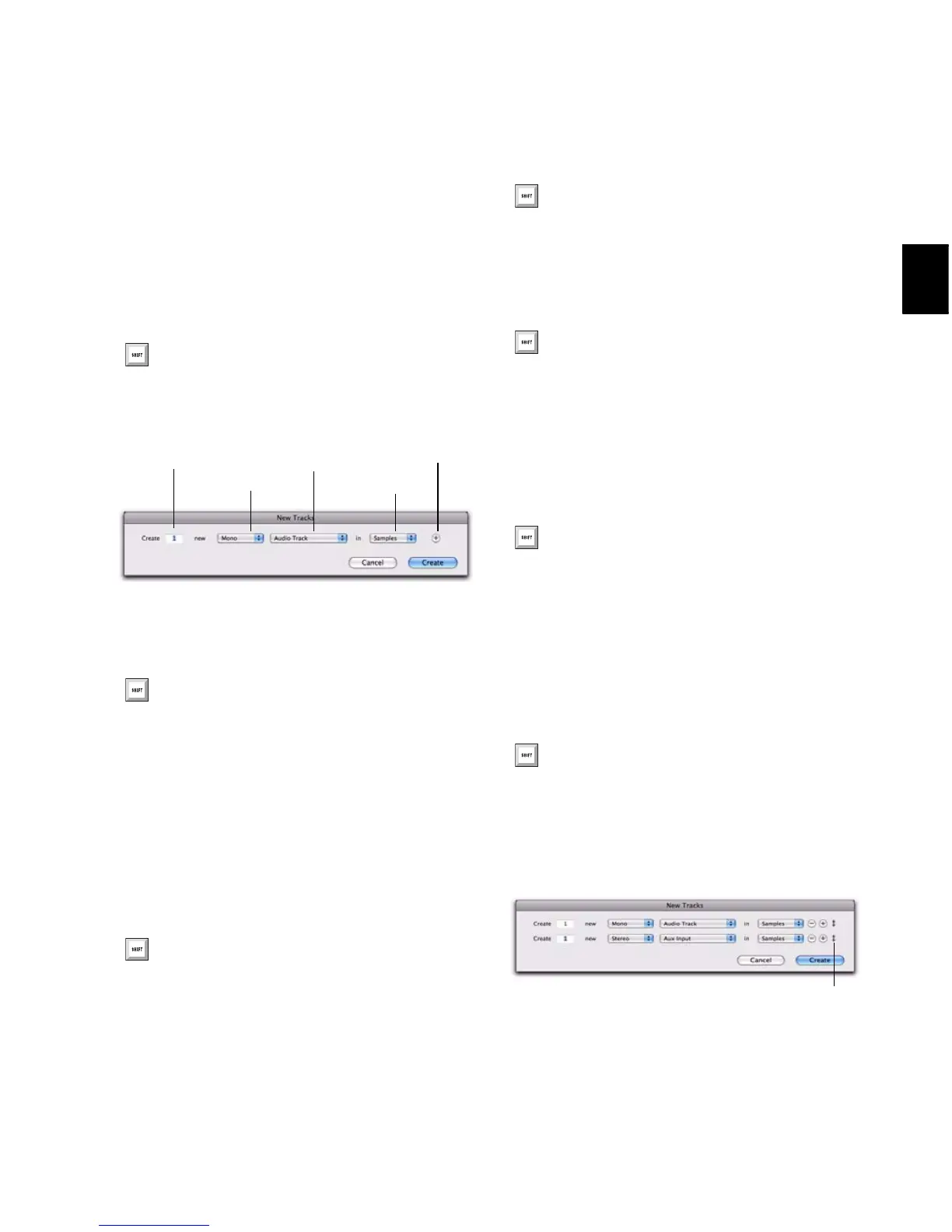
To create new tracks:
1 Do one of the following to open the New
Tracks dialog:
• Choose Track > New.
– or –
• Right-click any Track Name in the Mix or
Edit windows, or Track List, and choose
New.
2 Select the type of track you want to add from
the Track Type pop-up menu.
3 Select the track format (mono, stereo, or one
of the multichannel surround formats) from the
Track Format pop-up menu. Surround formats
are available on Pro Tools|HD systems or
Pro Tools LE with the Complete Production
Toolkit option.
4 Select the timebase (samples or ticks) from the
Track Timebase pop-up menu.
5 Enter the number of new tracks.
6 Do any of the following:
• To add more tracks, click the Add Row but-
ton.
– or –
• To remove a track, click the Remove Row
button.
7 To reorder tracks, click a Move Row icon and
drag it up or down.
8 Click Create.
Press Control+Shift+N (Windows) or
Command+Shift+N (Mac) to open the New
Tracks dialog
New Tracks dialog
To auto-scroll the Track Type pop-up menu
in the New Tracks dialog, press Control
(Windows) or Command (Mac) and use the
Up/Down Arrow keys.
To auto-scroll the Track Format pop-up
menu, press Control (Windows) or
Command (Mac) and use the Left/Right
Arrow keys.
To auto-scroll the Track Timebase pop-up
menu, press Control+Alt (Windows) or
Command+Option (Mac) and use the
Up/Down Arrow keys.
If you are creating various multiple new
tracks, you can move to the next or previous
row’s Number of New Tracks field by press-
ing Tab or Shift+Tab.
Add a new track by pressing Control+N
(Windows) or Command+N (Mac), or by
pressing Control+Plus (+) (Windows) or
Command+Plus (+) (Mac) on the numeric
keypad.
To remove the last track from the New
Tracks dialog Control+Minus (–) (Win-
dows) or Command+Minus (–) (Mac).
Move Row icon in the New Tracks dialog


 To Next Page
 Loading...