Pro Tools Reference Guide220
Auto-Naming Options
You can specify the auto-naming options for a
region when new regions are created from it in
the course of editing.
Auto-naming of regions does not affect the
names of parent audio files. Instead, it stores
pointers to the regions within the parent source
file.
To set auto-naming options for a region:
1 Select a region in the Region List.
2 Choose Auto Rename from the Region List
menu.
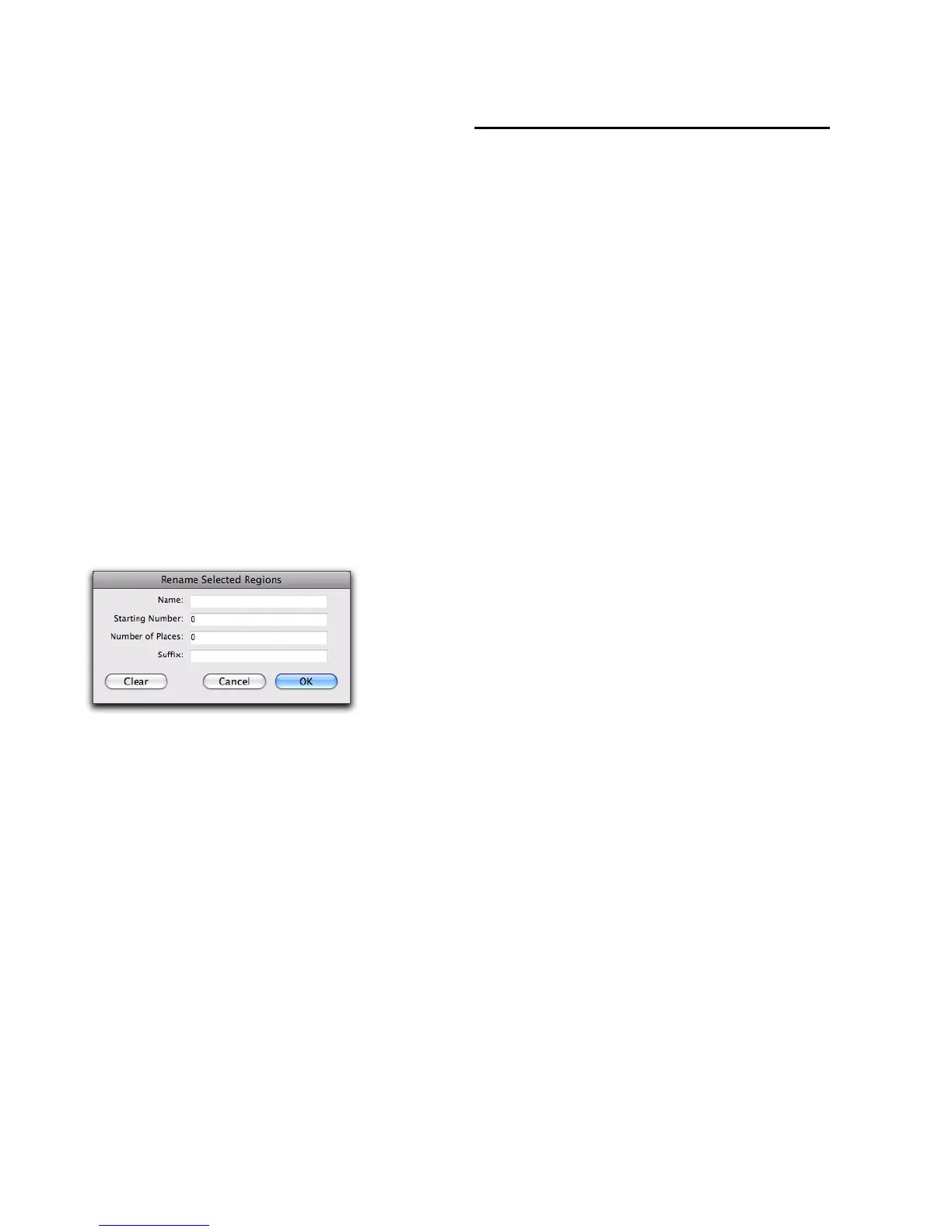
3 In the Rename Regions dialog, enter the text
to be used when naming regions created from
the selected region.
Name Determines the root name for the auto-
created regions.
Number Sets the start number for the sequen-
tially numbered new regions.
Zeros Determines the number of zeros that oc-
cur before the auto numbers.
Suffix Specifies text to be appended to the end of
the name, following the auto numbering.
4 Click OK.
Managing Regions in the
Region List
In the course of editing a session, the Region List
can quickly fill up with many regions—with
ones you have created intentionally and also
with those that are automatically created by cut-
ting, pasting, and separating other regions, or
importing Region Group files (or REX files as re-
gion groups). Pro Tools lets you hide or remove
regions in your session so you do not have to
scroll through a long Region List.
Hiding Auto-Created Regions
You can hide regions that were automatically
created during the course of editing.
To hide auto-created regions:
From the Region List menu, deselect Show >
Auto-Created. With this option deselected, only
user-defined regions appear in the Region List.
User-defined regions include:
• Whole-file regions
• Regions created during recording
• Imported regions
•Renamed regions
• Regions created as a result of AudioSuite
processing
• New regions created with the Region > Cap-
ture command or the Edit > Separate Region
commands
• Regions created by trimming whole-file au-
dio regions
Rename Selected Regions dialog


 To Next Page
 Loading...