Pro Tools Reference Guide306
Region group files store the following metadata:
• References to all audio files within the re-
gion group
• Region names and relative location in
tracks
• Embedded fades and crossfades
• Region group names and format (single or
multitrack)
• All MIDI data present in the region group
(such as notes, controllers, and Sysex)
• Track names
• Elastic Audio Warp markers and TCE factor
• Region timebase (samples or ticks)
•Sync points
• Loops
•Tempo map
Region group files do not store the following:
•Audio
• Automation
• Plug-ins
• Track routing
• Meter map
• Region List information
Pro Tools provides several ways to import region
groups into an open session:
• “Importing Region Groups with Pro Tools
Menu Commands” on page 306
• “Importing Region Groups with Drag &
Drop” on page 307
Importing Region Groups with
Pro Tools Menu Commands
To import a region group with Pro Tools menu
commands:
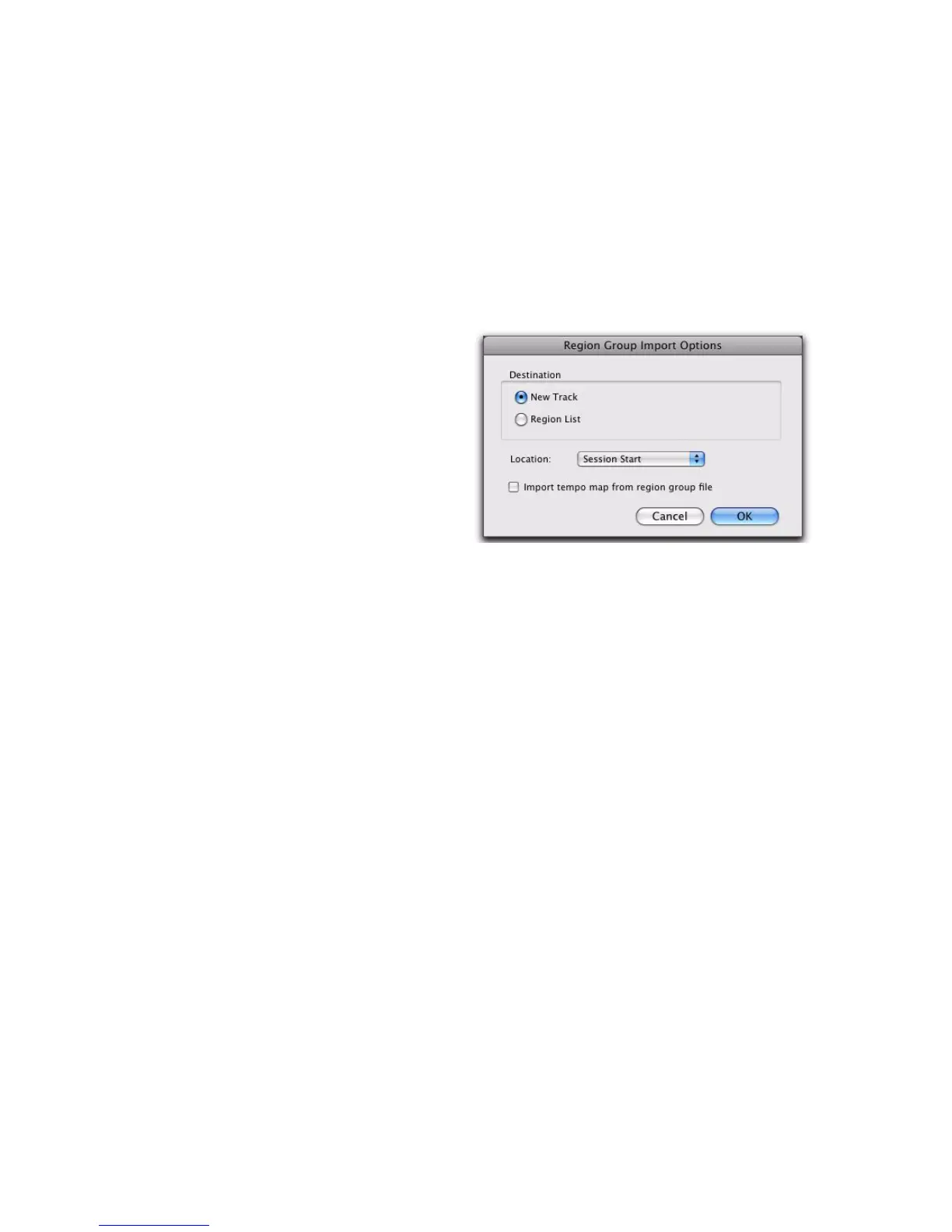
1 Choose File > Import > region groups and select
the region group you want to import.
2 In the Region Group Import Options dialog,
choose where the region group will go:
New Track Creates a new track where the region
group will be imported.
Region List Imports the region group into the
Region List, where it will be where it will be
available to place into tracks.
3 If you chose to create a new track, choose a lo-
cation for the imported group in the track:
Session Start Places the group at the start of the
session.
Song Start Aligns the beginning of the group to
the Song Start point.
Selection Aligns the beginning of the group to
the edit cursor or to the beginning of a selection
in the Timeline.
Spot Displays the Spot dialog, which lets you
spot the group to a precise location based on any
of the Time Scales.
4 Select any of the following import options:
Import Tempo Map from Region Group File When
selected, replaces the session tempo map with
the tempo map of the region group. This option
is only available when importing the region
group to the Session Start.
5 Click OK.
Region Group Import Options dialog


 To Next Page
 Loading...