Chapter 15: Importing and Exporting Session Data 307
Importing Region Groups with
Drag & Drop
You can drag and drop region groups from a
DigiBase browser or from Windows Explorer or
the Mac Finder to the Timeline, a track, the
Track List, or the Region List.
To import region groups into the Region List:
1 Select one or more region groups in a DigiBase
browser, Windows Explorer or Mac Finder.
2 Drag the files onto the Region List of the cur-
rent session.
To import region groups into an existing track:
1 Select one or more region groups in a
DigiBase browser or from Windows Explorer or
Mac Finder.
2 Drag the files onto an existing track in the Edit
window of the current session.
To import region groups into new tracks:
1 Select one or more region groups in a DigiBase
browser, Windows Explorer or Mac Finder.
2 Do one of the following:
• From the DigiBase browser, Shift-drag the
files and drag them anywhere in the Edit
window of the current session.
• Drag the files onto any empty space in the
Edit window of the current session.
• Drag the files to the Track List.
Exporting Region Groups
To export a region group:
1 Select one or more region groups in the Re-
gion List.
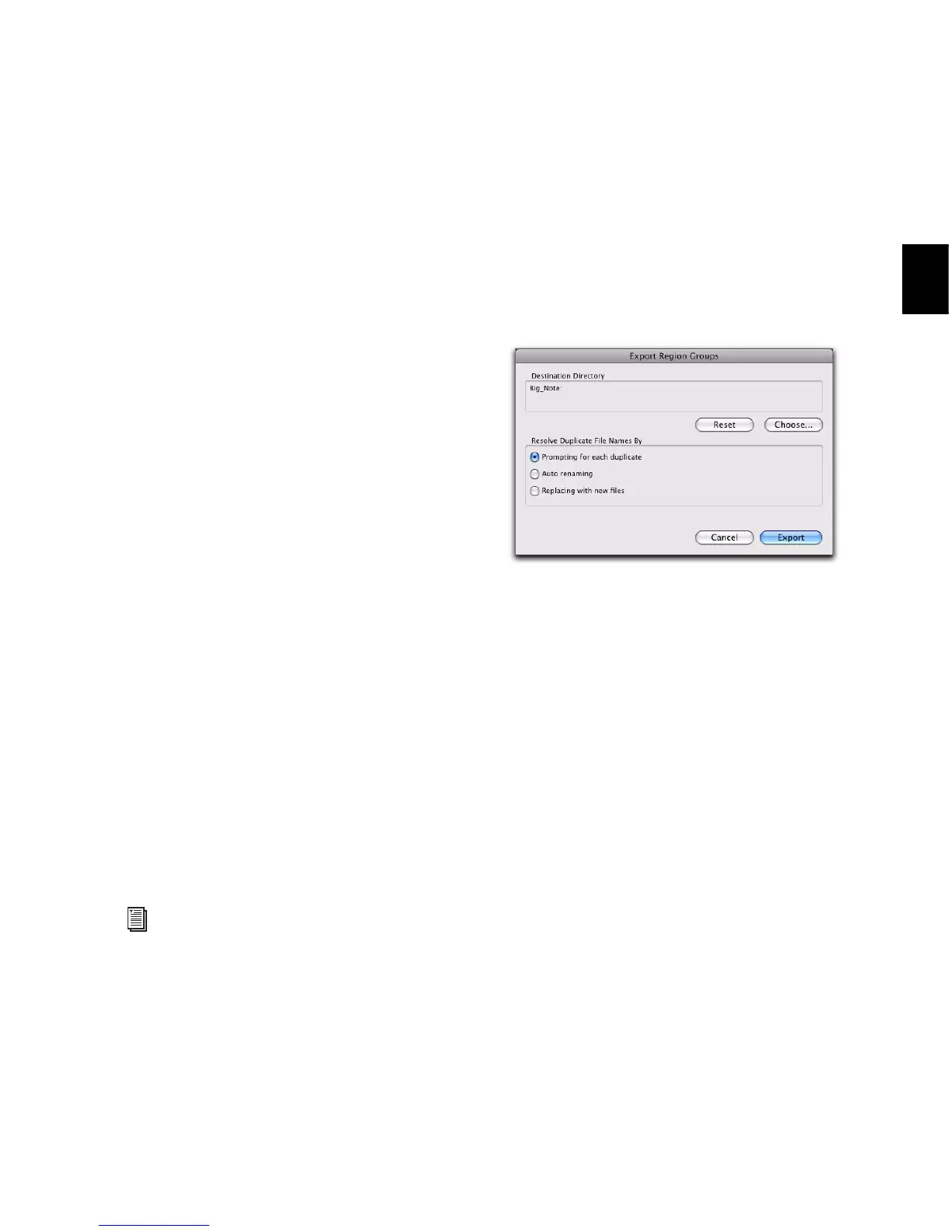
2 From the Region List menu, choose Export Re-
gion Groups. The Export Region Groups dialog
opens.
3 The Destination Directory defaults to the
auto-created Region Groups folder in the session
folder. You can change the Destination Direc-
tory by clicking the Choose button, navigating
to a new location, and clicking Choose. Click Re-
set to reset the Destination Directory to the de-
fault location.
4 Enable one of the following options for resolv-
ing duplicate region group file names:
• Prompting for Each Duplicate (default)
• Auto Renaming
• Replacing with New Files
5 Click OK.
For more information on using DigiBase
browsers, refer to the DigiBase Guide.
Export Region Groups dialog


 To Next Page
 Loading...