
 Need help?
Do you have a question about the Digiflex vision-64 and is the answer not in the manual?
Details the copyright ownership and usage rights for the document.
States the policy regarding the use of trademark names within the document.
Disclaims liability for any inaccuracies or damages arising from document content.
Provides information regarding Telecom's Telepermit for the device.
Lists important safety and operational warnings for product installation and use.
Provides a general overview of the security system's purpose and components.
Lists the main features and capabilities of the VISION-64 control panel.
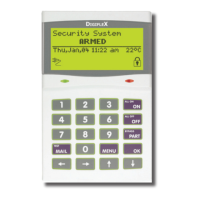
Describes the function of each button on the keypad.
Explains the meaning of various status icons and LED indicators.
Details the different audible alerts emitted by the keypad.
Instructions for arming an entire area.
Instructions for arming specific zones within an area.
Steps to disarm the system or an area.
Procedure to silence an active alarm.
Explains the system's auto-arming functionality.
Guide for changing the user's Personal Identification Number.
Method for entering text via the keypad.
How a master user can change another user's PIN.
Procedure for a master user to remove a user's PIN.
Guide for a master user to assign a PIN to a new user.
Process to add a token card for system access.
Process to remove a token card from the system.
How to check the status of programmed tokens.
Procedure to program an RF keyfob ID.
How to assign a name to a user profile.
Assigning user access permissions to specific areas.
Configuring various access and permission settings for users.
Viewing the current operational status of a system area.
Manually arming or disarming a single area.
Arming all assigned areas simultaneously.
Disarming all assigned areas simultaneously.
Changing the active area displayed on the keypad.
Enabling or disabling chime mode for zones.
Programming custom names for system areas.
Checking the current state of detection zones.
Temporarily disabling specific zones.
Programming zones to trigger chime alerts when faulted.
Configuring zones for Part 2 arming mode.
Resetting smoke detectors after an event.
Assigning custom names to individual zones.
Testing all zones within an area simultaneously.
Performing a walk test on a specific zone.
Viewing the operational status of system outputs.
Controlling system outputs like lights or relays.
Assigning custom names to system outputs.
Testing the external siren's functionality.
Testing the internal siren's functionality.
Testing the external strobe light's functionality.
Initiating modem calls for system updates or service.
Managing call forwarding for incoming calls.
Programming phone numbers for domestic reporting.
Programming the number for call forwarding when armed.
Programming the number for call forwarding when disarmed.
Manually sending a test report to the monitoring station.
Checking the operational status of connected keypads.
Adjusting the audible volume of the keypad buzzer.
Adjusting the contrast of the keypad's LCD display.
Adjusting the brightness of the keypad's LCD backlight.
Viewing system software version and current troubles.
Reviewing the last 256 system events.
Programming the system's date and time.
Programming descriptive names for schedules.
Setting the start and stop times for schedules.
Defining which days of the week schedules operate.
Programming descriptive names for holiday periods.
Setting the start and end dates for holiday periods.
Testing all zones within an area simultaneously.
Manually testing the system's backup battery.
Setting min/max temperatures for keypad monitoring.
 General
| Brand | Digiflex |
|---|---|
| Model | vision-64 |
| Category | Network Router |
| Language | English |

 To Next Page