
 Need help?
Do you have a question about the Digigram IQOYA TALK and is the answer not in the manual?
General precautions for device usage and environmental conditions.
Instructions for connecting the device to a power source and handling the power cord.
Information about the lithium-ion battery and its usage mode.
Guidelines for cleaning the device safely and effectively.
Warnings regarding high voltages on inputs and connecting external equipment.
Information on RF energy and compliance with regulations.
Statement on compliance with RoHS & WEE directives and disposal instructions.
Warranty terms and limitations for the equipment.
Specific disclaimer regarding the battery warranty and manufacturer responsibility.
Compliance with international and European electrical safety directives.
Compliance with EMC standards for emissions and immunity.
Declaration of conformity with European RoHS directive for materials.
Explains potential RF interference and user actions to resolve it.
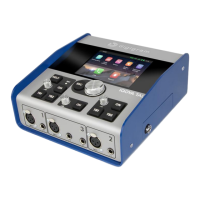
Overview of the portable audio codec for remote live operations.
Description of SERV LINK, X/LINK, and Q-MIC in the One IP solution.
Explanation of the interconnectivity infrastructure for IP codecs.
Lists all components included in the IQOYA TALK package.
Identifies the four headphone output jacks on the front panel.
Details the three mic-line input connectors on the front panel.
Explains the two functions of the ON/OFF power button.
Describes the operation of the main control knob for menu navigation.
Explains the function of the ESC key for navigation and validation.
Describes the division and purpose of the Home screen areas.
Configures Ethernet, Wi-Fi, and Cellular network interfaces.
Settings for microphone and line inputs, including gain and phantom power.
Assigning input sources to outputs (left or right).
Setting individual input levels for desired mix.
Adjusting the overall output master mix level.
Options for chaining stereo or mono sources for stereo/mono outputs.
Adjusting screen/LED brightness and defining clock source.
Viewing device info, firmware, and log files for diagnostics.
Configuring time sync and automatic operational modes.
Renaming device elements and restoring factory settings.
Displaying, renaming, or erasing recorded/imported audio files.
The main screen for journalists to make calls and manage audio.
Details on microphone inputs, headphone outputs, and mixer capabilities.
Information on Ethernet, LTE, Wi-Fi, Bluetooth, GPIOs, and USB ports.
Capabilities for dual streaming, FEC, and supported encoding formats.
Physical dimensions, weight, and operating temperature.
Step-by-step guide for updating the device firmware.
 General
| Type | IP Audio Codec |
|---|---|
| Ethernet Port | 1 x RJ45 |
| Audio Codecs | OPUS, G.711, G.722 |
| Network Interface | Ethernet 10/100 Mbps |
| Power Supply | 12V DC |
| Protocols | SIP, RTP, HTTP |
| Sample Rate | 48 kHz |
| Bit Depth | 24-bit |
| USB Port | USB 2.0 |

 To Next Page