2
1. Getting Started
Unpacking the Contents
The following are included with your system. Please inspect these and the other system
components while unpacking.
• Quick Start Guide
• Surge Protection Notice
• Video adapter dongle (DM16 series systems only)
• Rail brackets and handles for rack mounting
• Rubber feet for desktop use
• USB Flash Drive loaded with backup image
• Power cord
Choose a Proper Location
Select a location for the system that meets the following requirements.
NOTICE: Excessive heat can shorten the life of electronics.
• Adequate ventilation to avoid excessive heat (climate-controlled environment)
• Uninterrupted Power Supply (UPS)
• Moisture-free environment
• A place away from direct sunlight
• An area with minimal dust or debris
Site Installation
Hardware Setup – Connect all input devices and external peripherals to the system. Follow the order of connections displayed in Step 3.
• Indoor & Outdoor Camera(s)
• VGA Monitor
• Spot Out Monitor
• PTZ Camera(s) - Optional
• Audio in
• Speakers - Optional
• Ethernet
• Mouse
• Keyboard
• Relays and I/O
• Power Cord
NOTICE: For proper indoor and outdoor cameras an in-line surge suppressor or equivalent should be used to reduce exposure to surges and lightning strikes.
2. About Your System
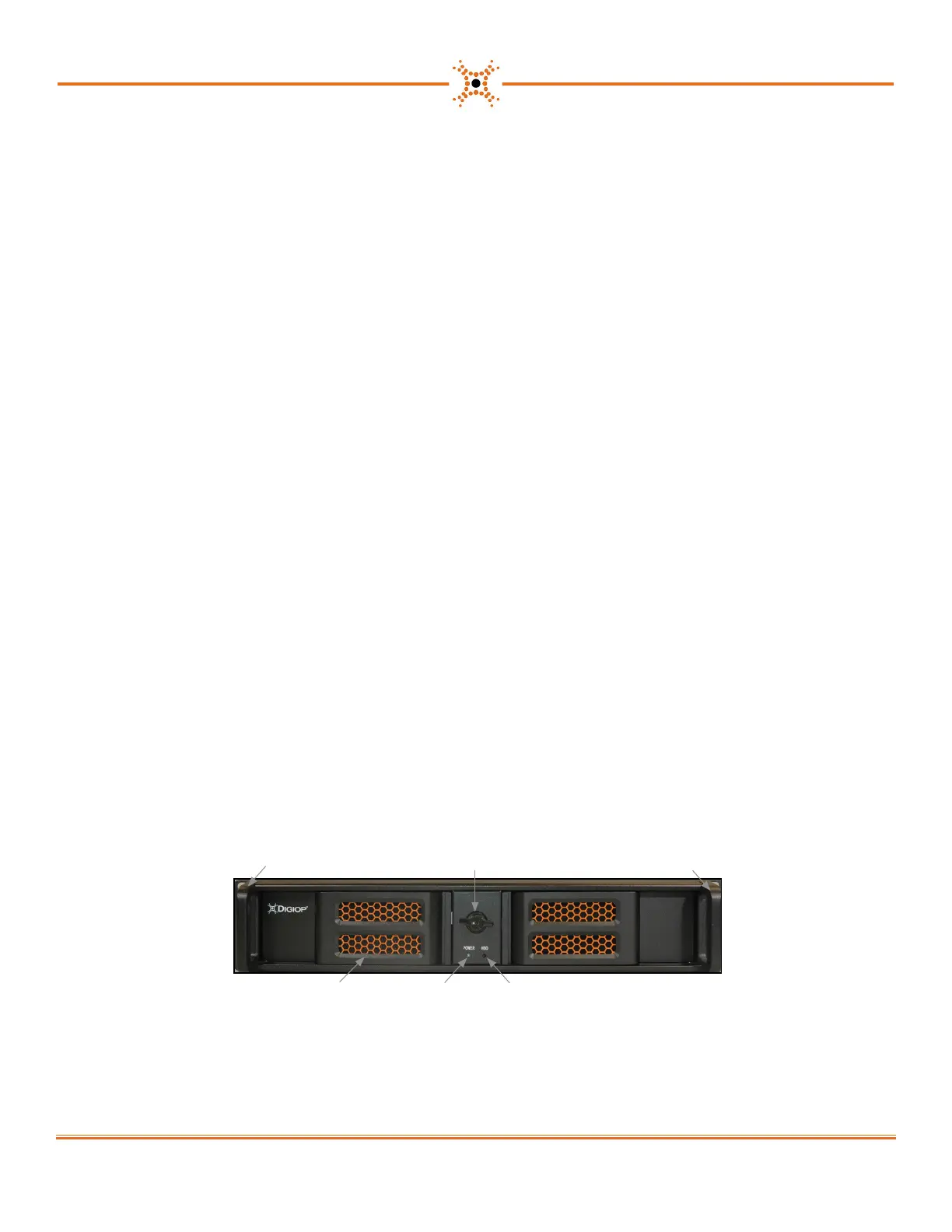
Front View
HDD activity LED
Rail brackets and handle
Rail brackets and handle
Power on LED
Maintenance access
door knob (with lock)
Maintenance access door (2)*
* Front panel Power and Reset switches are located behind the left door.
www.digiop.com



 To Next Page
 Loading...