4
3. Setting Up Your System
Copyright © 2013 DIGIOP, Inc. • Indianapolis, IN • tel: 800.968.3606 • fax: 317.663.2077 • support: 877.972.2522 • www.digiop.com
DIGIOP is a registered trademark of DIGIOP, Inc. All rights reserved.
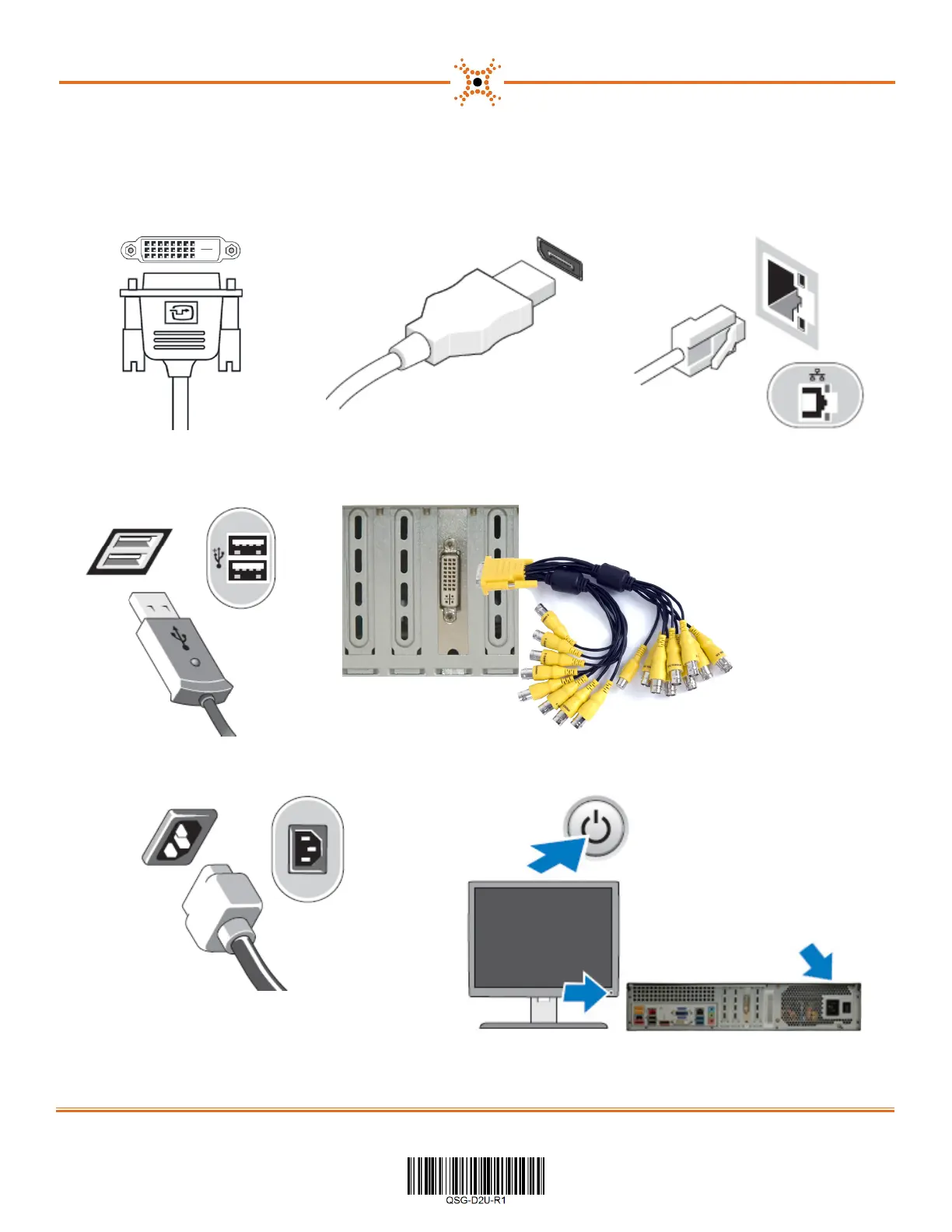
1. Connect the monitor using one of the two methods 2. Connect the network cable to the Ethernet port.
a. Using the DVI-I or DVI-D port. b. Using the DisplayPort.
3. Connect the keyboard and mouse to the
USB 2.0 connectors
4. For DM16 series systems, connect the video in adapter dongle to the capture card.
5. Connect the power cable 6. Press the power button on the monitor and computer.
NOTE: A chassis power switch is also located behind the maintenance access door.



 To Previous Page