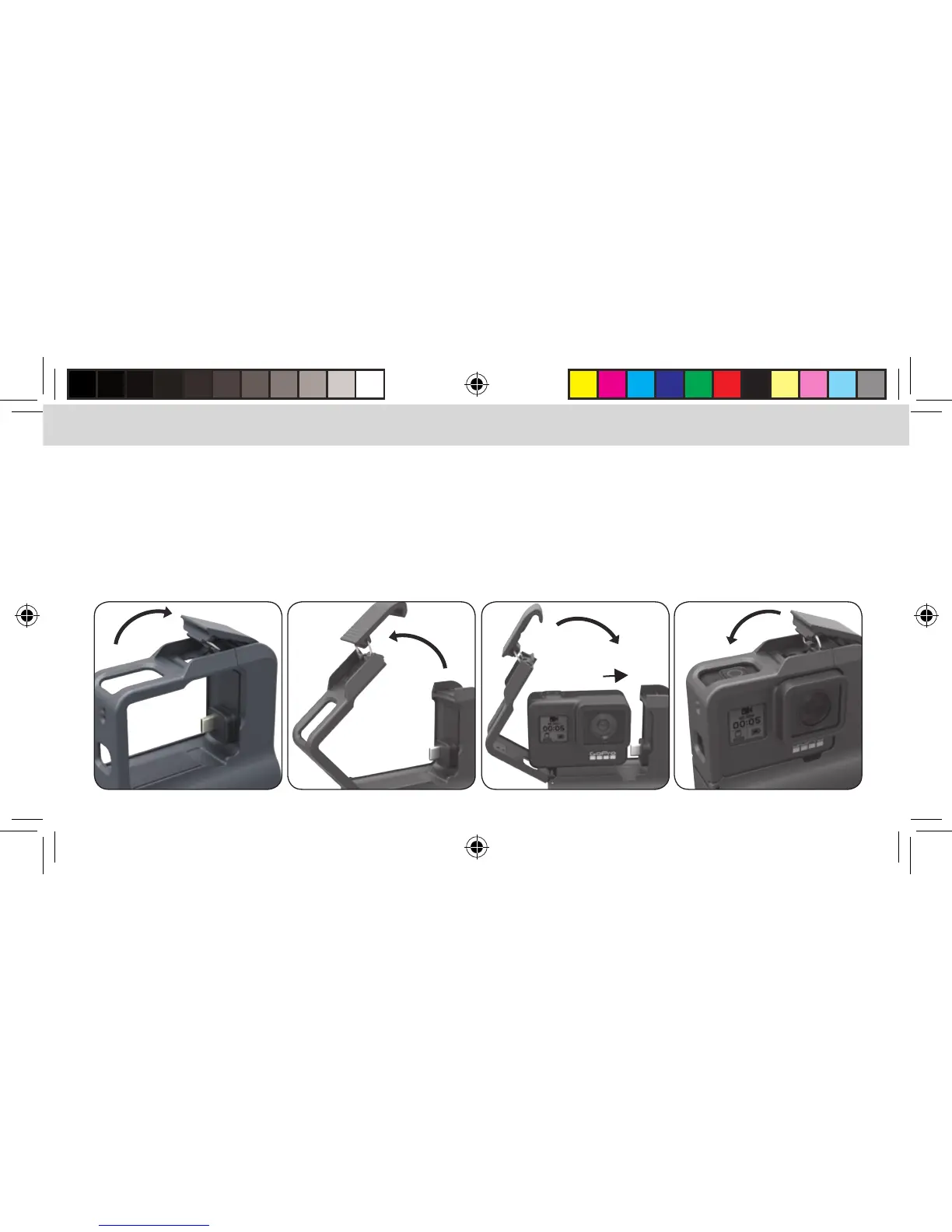
USING THE ACTIONPACK IN 4 EASY STEPS
1. Open the ActionPack housing by pressing up on the security clip
(the security clip is found towards the top/middle of the ActionPack).
2. Move the security clip and pivoting frame to the left so you can install the GoPro camera.
3. Slide the GoPro camera to the right so that it FIRMLY connects to the Type-C plug on the ActionPack,
close the housing.
4. Secure the case latch. IT IS VERY IMPORTANT TO PROPERLY LATCH THE CASING OR THE PRODUCT WILL NOT BE WATERPROOF.


 To Next Page