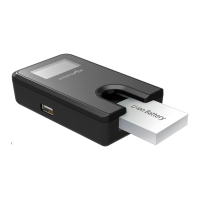
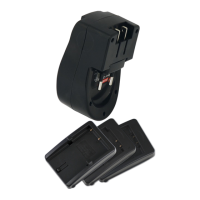
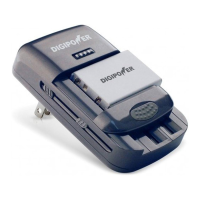
| 1
| 3
| 4
| 5
| 6
| 2
English
Instruction Manual
for TC-3000 UNIVERSAL BATTERY CHARGER
Thank you for purchasing a Digipower Universal Charger (TC-3000).
FEATURES
• Compatible with most 3.6-3.7 Volts Li-Ion batteries for digital
camera, camcorder, hand-held gaming device & mobile phone.
• Also compatible with AA/AAA Ni-MH rechargeable batteries.
• Microprocessor identies battery type. Adjusts +/- poles and
begins charging automatically.
• Controls fast / trickle charge accurately to ensure the batteries are
charged fully.
• Low-voltage battery activation
• Over voltage, short circuit and over charge protections.
• Defective battery detection.
OPERATING INSTRUCTIONS
Using the AC adaptor:
1. Connect the AC to the DC port on the charger and to an electrical
outlet. The charger is ready for use once the AC power adaptor is
connected to the main supply or to the DC cigarette lighter socket.
The red power indicator will turn on.
Using the Car Lighter Adaptor (CLA):
1. Connect the CLA to the cigarette lighter socket in the vehicle and to
the DC out-plug on the charger. Ensure that current supply to the
lighter socket is switched on. Some cars require the ignition to be
switched on.
Mounting the battery:
Note:
a. The charger has a sliding cover that moves up and down to t
various size batteries.
b. The charger also has two adjustable contact points that line up
with the battery contacts.
c. Batteries can be placed either vertical or horizontal to align with
the charger contacts.
1. Slide the charger cover down to place the battery in the cradle.
2. Line up the charger contacts with the included stylus to match the
contact points of the battery. The charger will automatically detect
and adjust for the “+ -“polarity.
3. Repeat steps 1 and 2 with each battery.
Charging the Battery:
When the battery is properly connected, charging begins. A green
LED light will blink to indicate charging. When charging is complete,
the LED stops blinking and will turn to solid green. At this point, the
battery can be removed for use.
TROUBLESHOOTING
No indicator lights
• Ensure that the AC power adaptor or the CLA car cord is connected
properly to the power charger.
• Check if power is available.
Power light only
• Contact points of the charger and the battery are not properly
aligned. Adjust and re-install.
• Contact may be dirty. Clean contacts on the charger and the battery
Power & Charging light
• Faulty battery. Remove battery from charger.
SPECIFICATIONS
Input: 12v 700mA
Standby current: 30mA
Charge current: 800mA (max)
CAUTION
1. This charger cannot charge Ni-MH and Ni-Cad batteries simultaneously;
it can only charge either Ni-MH or Ni-Cad batteries.
2. THIS CHARGER CANNOT CHARGE PRIMARY ALKALINE BATTERY, ZINC
CHLORIDE OR ZINC CARBON TYPE BATTERIES.
3. DO NOT CHARGE or RECHARGE ALKALINE BATTERIES IN THIS CHARGER.
4. Indoor use only. Do not expose the charger to rain or humidity.
5. Do not operate the charger using an extension cord.
6. Do not use the charger if it has been dropped or damaged in any way.
7. Disconnect the charger from the main outlet before checking or
cleaning it.
8. Do not charge a leaking, corroded or dead battery.
9. Do not attempt to repair the charger yourself.
10. Do not disassemble the charger.
11. Store the charger in a cool, dry place when not in use.
12. Always disconnect the charger from the main when not in use.
13. This appliance is not intended for use by young children without
supervision. Children should be supervised to ensure they do not play
with the appliance.
The manufacturer does not accept responsibility for any personal loss
and/or injury if the defect was caused by misuse or mishandling by
the user.
LIMITED WARRANTY
Mizco’s responsibility with regard to this limited warranty shall be
limited solely to the repair or replacement at its option, of any
product, which fails during normal consumer use for a period of 1 Year
from the date of purchase. This warranty does not extend to damage
or failure, which results from misuse, neglect, accident, alteration,
abuse, improper installation or maintenance. If at any time during the
1 Year period following the purchase the product fails due to defects
in materials or workmanship, return the defective product with freight
prepaid and proof of purchase.
All brands represented herein are registered trademarks of their
respective manufacturers. Design and specications are subject to
change without notice.
English
Table of Contents
Included parts . . . . . . . . . . . . . . . . . . . . . . . . . . . . . . . . . . . . . . . . . . . . . . . . . . . . 1
Features . . . . . . . . . . . . . . . . . . . . . . . . . . . . . . . . . . . . . . . . . . . . . . . . . . . . . . . . . . 3
Operating instructions . . . . . . . . . . . . . . . . . . . . . . . . . . . . . . . . . . . . . . . . . . . . 3
Troubleshooting . . . . . . . . . . . . . . . . . . . . . . . . . . . . . . . . . . . . . . . . . . . . . . . . . . 4
Technical specications . . . . . . . . . . . . . . . . . . . . . . . . . . . . . . . . . . . . . . . . . . . 5
Warranty information . . . . . . . . . . . . . . . . . . . . . . . . . . . . . . . . . . . . . . . . . . . . . 6
Español
Contenido
Partes incluidas . . . . . . . . . . . . . . . . . . . . . . . . . . . . . . . . . . . . . . . . . . . . . . . . . . . 1
Características . . . . . . . . . . . . . . . . . . . . . . . . . . . . . . . . . . . . . . . . . . . . . . . . . . . . 7
Instrucciones de operación. . . . . . . . . . . . . . . . . . . . . . . . . . . . . . . . . . . . . . . . 7
Resolución de problemas . . . . . . . . . . . . . . . . . . . . . . . . . . . . . . . . . . . . . . . . . 8
Especicaciones técnicas. . . . . . . . . . . . . . . . . . . . . . . . . . . . . . . . . . . . . . . . . . 9
Información de la garantía . . . . . . . . . . . . . . . . . . . . . . . . . . . . . . . . . . . . . . . 10
Français
Table des matiéres
Articles inclus . . . . . . . . . . . . . . . . . . . . . . . . . . . . . . . . . . . . . . . . . . . . . . . . . . . . . 1
Caractéristiques. . . . . . . . . . . . . . . . . . . . . . . . . . . . . . . . . . . . . . . . . . . . . . . . . . 11
Consignes d’utilisation . . . . . . . . . . . . . . . . . . . . . . . . . . . . . . . . . . . . . . . . . . . 11
Dépannage . . . . . . . . . . . . . . . . . . . . . . . . . . . . . . . . . . . . . . . . . . . . . . . . . . . . . . 12
Spécications. . . . . . . . . . . . . . . . . . . . . . . . . . . . . . . . . . . . . . . . . . . . . . . . . . . . 13
Information sur la garantie . . . . . . . . . . . . . . . . . . . . . . . . . . . . . . . . . . . . . . . 14
LED Indicator
Indicador LED
Témoin lumineux
Sliding cover that moves up and
down to t various size batteries
Una cubierta deslizable que se
mueve
hacia arriba y hacia abajo
para ajustarse
a diferentes
tamaños de baterías
Un couvercle à glissière qui
peut s’ajuster en fonction
de la taille des piles
Adjustable contact points
Puntos de contacto ajustables
Points de contact ajustables
Please recycle
B A T T E R Y C H A R G E R
CARGADOR DE BATERÍA
C H AR GE UR DE P IL ES
ITEM NO. TC3000
USER GUIDE • GUÍA DEL USUARIO • GUIDE D’UTILISATION
INCLUDED PARTS
PARTES INCLUIDAS
ARTICLES INCLUS
Base Charger
Cargador base
Chargeur
AC adaptor
Adaptador de CA
Adaptateur c.a.
Car Lighter Adaptor (CLA)
Adaptador de encendedor de cigarrillos
Adaptateur pour allume-cigarette
Stylus
Estilo
Stylet

 Need help?
 General

 To Next Page