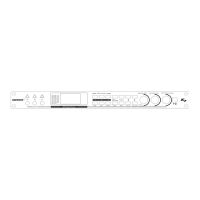
DS216 Digital Three Crossover Processor
Operation Specification
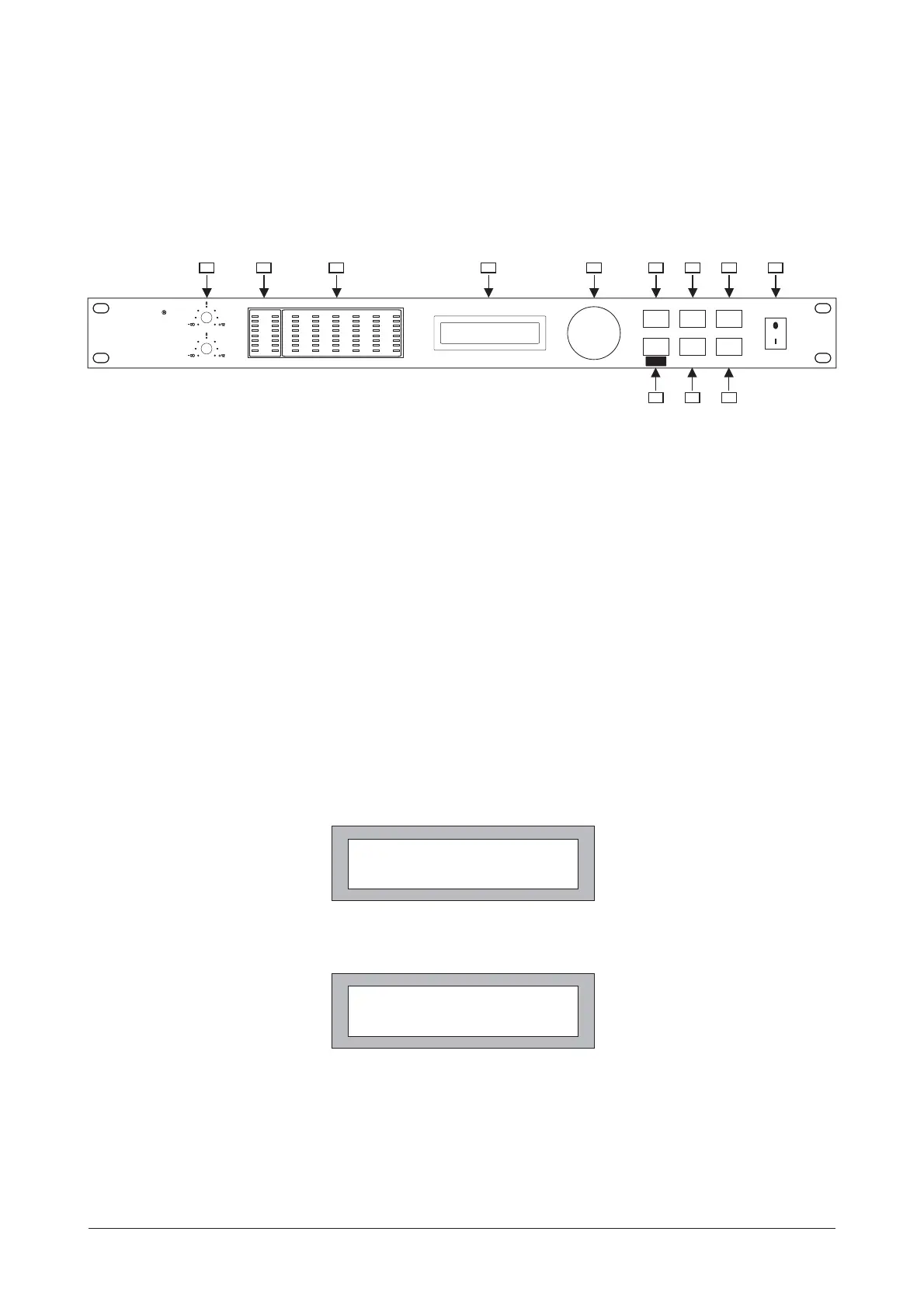
Front Panel
2. INPUT-- input level indicator.
3. OUTPUT-- output level indicator.
4. LCD DISPLAY-- display work status and parameters.
5. PARAMETER ADJUSTMENT-- Encoder controller for parameter adjusting, parameters are increased by
rotating clockwise Encoder, or decreased by rotating anti-clockwise Encoder.
6. programs selection key. After pressing the key, users are able to select 10
"PR:1"~"PR:10". (show as Fig.1)
PROGRAM -- programs from
7.CH-SEL/CROSSOVER MODE-- channel selecting key/work mode selecting key. Firstly pressing the key,
to enter into the channel control status, at this time users are able to select 6 channels "CH:1"~ "CH:6"
by rotating Encoder clockwise or anti-clockwise. Pressing the key again, to enter into CROSSOVER
MODE setting, at this time, users are able to select 5 modes "M1"~ " M5" by rotating Encoder clockwise or
anti-clockwise. Pressing the key again, to return to the channel selecting.
32 BIT DSP48KHZ SAMPLING RATE
DIGITAL CROSSOVER
PROGRAM
PEQ
CH-SEL SETUP
OUT GAIN
STORE
INPUT B
INPUT A
2
IN B
1
3
4
5
6
CLIP
6
12
18
24
dB
-
-
-
-
-
-
-
-
-
-
-
-
-
-
-
-
-
-
-
-
30
-
IN
A
36
-
3
-
dB
MUTE
CLIP
LIMIT
12
18
24
-
-
-
30
-
36
-
PARAMETER
CROSSOVER
MODE
INPUTS OUTPUTS
MUTE
CLIP
LIMIT
12
18
24
-
-
-
30
-
36
-
MUTE
CLIP
LIMIT
12
18
24
-
-
-
30
-
36
-
MUTE
CLIP
LIMIT
12
18
24
-
-
-
30
-
36
-
MUTE
CLIP
LIMIT
12
18
24
-
-
-
30
-
36
-
MUTE
CLIP
LIMIT
12
18
24
-
-
-
30
-
36
-
POWER
CROSSOVER
2~6 WAY OUT
DIGISYNTHETIC
D 216S
126 85 10
11
97
Fig.1
Fig.2
1 2 3 4
8. Pressing the key in short time, to enter into PEQ editing status (show as Fig.2).PEQ --
At this time, users are able to select 3 Filters "FLT:1~ FLT:3" by rotating Encoder clockwise or anti-clockwise.
at the status, press Encoder to enter into the Filter parameters "Q" (bandwidth) selection. Users
are able to select 11 "Q" values (range:0.5~10) by rotating Encode clockwise or anti-clockwise.
PR:1 M1:2X2W+2S
CH:1 GN: +12.0 dB
CH:1 FLT:1 Q: 3.0
F:200Hz :+5 dB
1.INPUTA&INPUTB--input level adjustable range:- ~ +12dB
8
2


 To Next Page
 Loading...