Quick Start Guide for Your DASDEC II Page 26 of 40
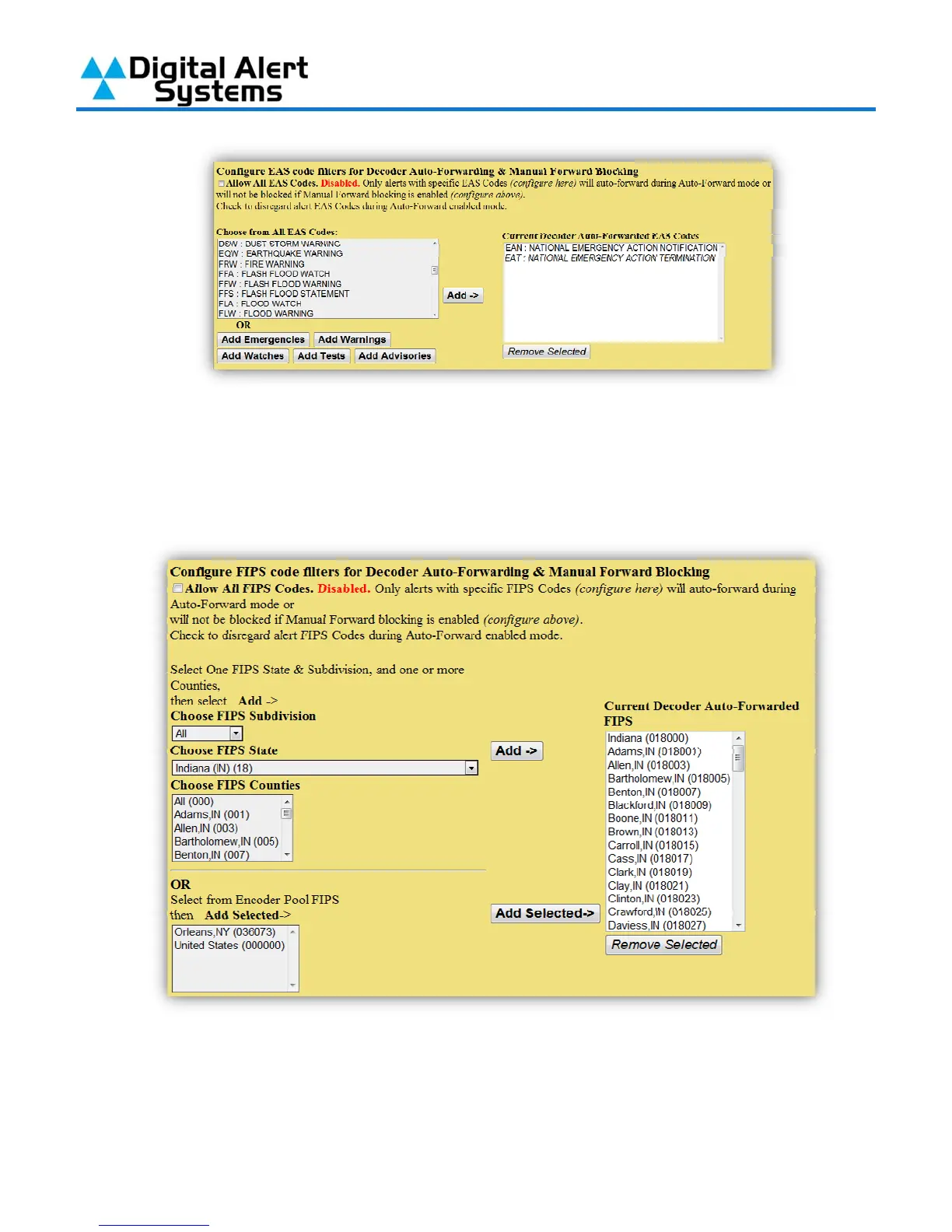
12) The final part of configuring alert forwarding is to set your areas FIPS codes. By default the
DASDEC-II is set to “Allow All FIPS Codes”, this is not recommended. When you clear the
check box in this section the FIPS code listing will appear. Use the drop-down lists on the left
to find the counties in your broadcast area, click on them to highlight them and then click
“Add” to move them into the list on the right.
13) Alert Decoding, Filtering & Forwarding is now configured.



 To Next Page