Quick Start Guide for Your DASDEC II Page 31 of 40
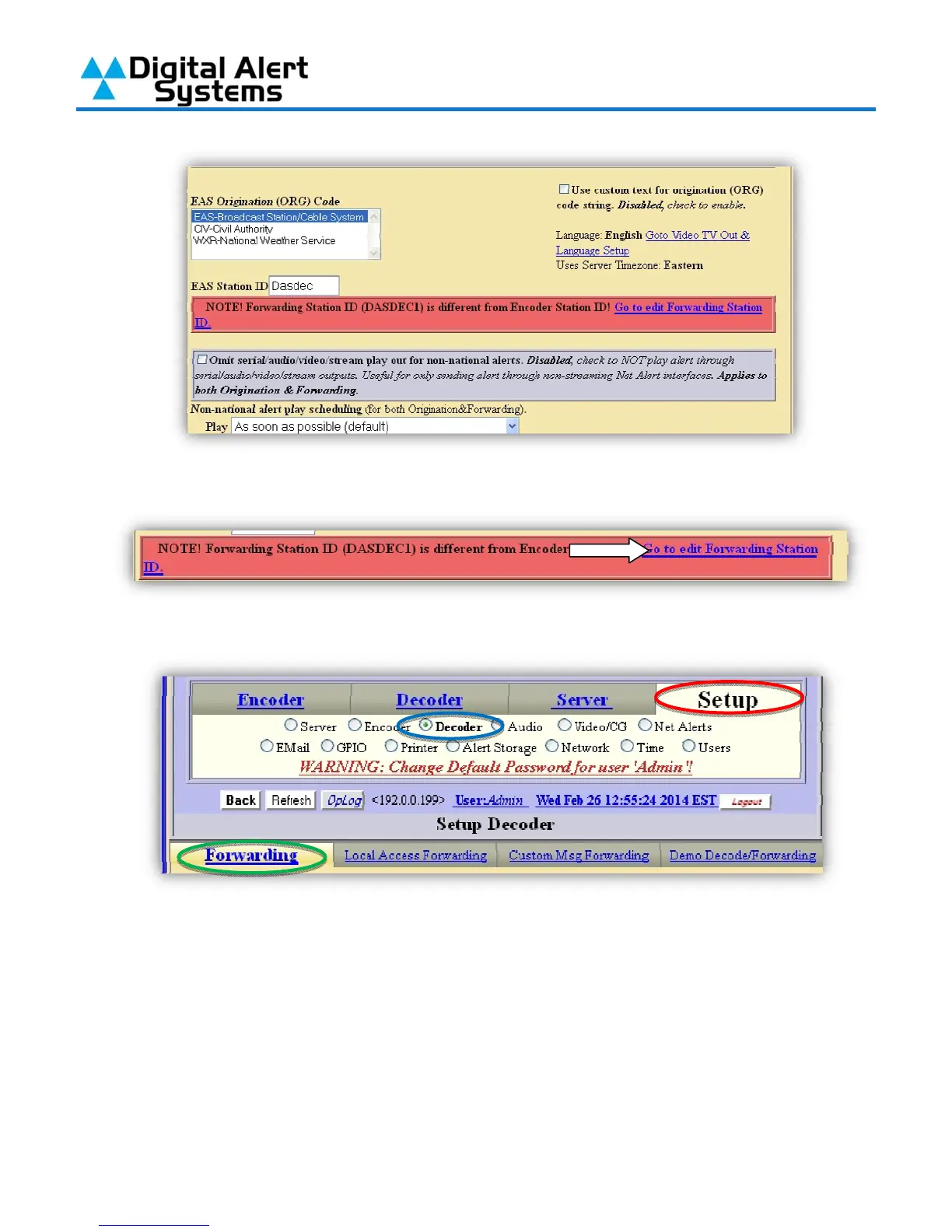
4) Next the “Forwarding Station ID” must be changed, click on the link in the red box that
appeared on this page.
5) Clicking the link will take you to Setup (circled in red) > Decoder (circled in blue) >
Forwarding tab (circled in green).
6) Edit the Forwarding Station ID to match the Encoder Station ID.



 To Next Page