Quick Start Guide for Your DASDEC II Page 39 of 40
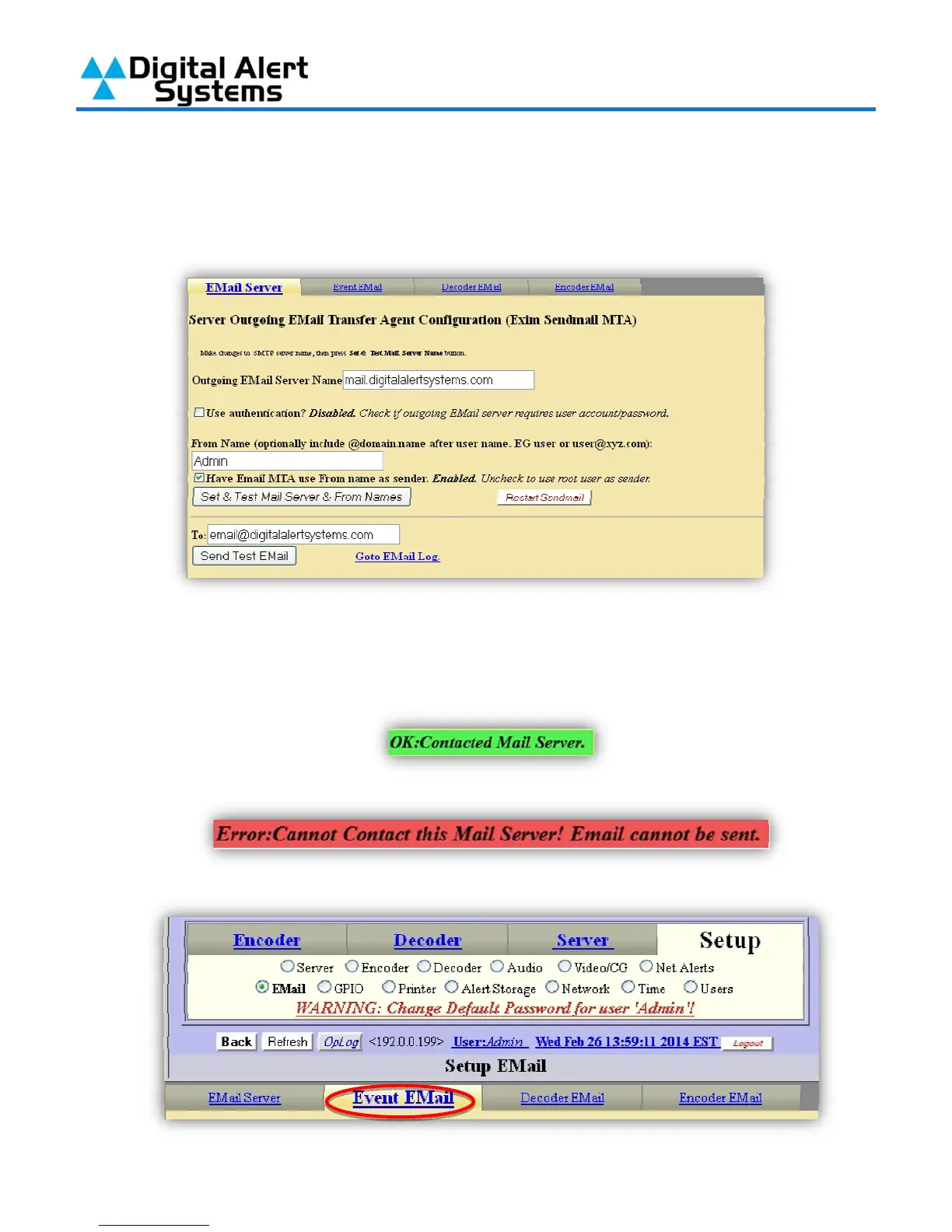
3) In the field next to Outgoing Email Server Name (circled in red) enter the IP address of
the SMTP server (note – you can not use the server name, such as
“outgoing.mailserver.com” unless you have enabled DNS in the DASDEC-II network setup).
In the field by From Name (circled in blue) enter the e-mail address you want messages
from the DASDEC-II to be from.
4) Next click on the button “Set & Test Mail Server & From Names”. If your settings are correct
you’ll see a graphic reading “OK: Contacted Mail Server”.
5) If your server IP address is incorrect or you are trying to use a name without DNS you’ll see:
6) After setting the E-Mail Server click on the tab for “Event Email” (circled in red).



 To Next Page