
 Need help?
Do you have a question about the Digital reasures CINEMATIX and is the answer not in the manual?
Lists all items included in the product package.
Crucial safety information, warnings, and precautions for operation.
Details safe practices for placement, ventilation, and usage.
Instructions for safe and proper connection and use of power sources.
Guidelines for correct operation and placement to ensure functionality and safety.
Instructions for servicing, troubleshooting, and handling damage.
Procedures for cleaning the unit safely and effectively.
Information on supported disc types, sizes, and playback times.
How to connect the player to a TV and headphones for use.
Steps for connecting the AC adapter for power supply.
Instructions for connecting the car adapter for power.
Details on using and charging the built-in rechargeable battery.
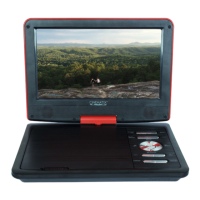
Identifies the components and ports of the DVD player unit.
Instructions for preparing and using the remote control.
Explains the function of each button on the remote control.
General operation, disc errors, and playable disc types.
Steps to turn the player on/off and select playback modes.
How to navigate and use disc menus for playback.
Explains play/pause, volume, and track/chapter selection.
Details on stopping, fast/slow motion, and repeat playback.
How to program playback order and use the zoom feature.
Options for subtitle, audio languages, and information display.
Using numeric buttons and search functions for playback.
How to play audio and video files from USB/SD cards.
Instructions for viewing photos from a picture CD.
Connecting and using USB drives and SD/MMC cards.
Features for rotating the screen and installing in a vehicle.
Configuring general settings like TV display, OSD language, etc.
Adjusting audio output and video display properties.
Customizing default disc settings like TV type, audio, and subtitle.
Solutions for common problems like no sound, no video, or remote issues.
Technical details of the DVD player, including power, disc modes, and audio/video specs.
Compliance statement regarding radio frequency interference.
Details on the limited warranty and how to obtain service.
 General
| Screen Size | 7 inches |
|---|---|
| Power Source | AC adapter, Rechargeable battery |
| Display Size | 7 inches |
| Resolution | 480 x 234 pixels |
| Playable Media Formats | DVD, CD, MP3, JPEG |
| Connectivity | AV output, headphone jack |
| Supported Formats | MP3, JPEG |

 To Next Page