2. Resume Remembers and plays the part played right before the
power was turned off.
1. Initial 2. Stopped
3. Sleep You can power off the device at the reserved time.
0(Default) ~ 60min
4. Auto Power Off Set the function of Auto Power off when no button is
pressed for a certain time in the pause state.
3(Default) ~ 30min
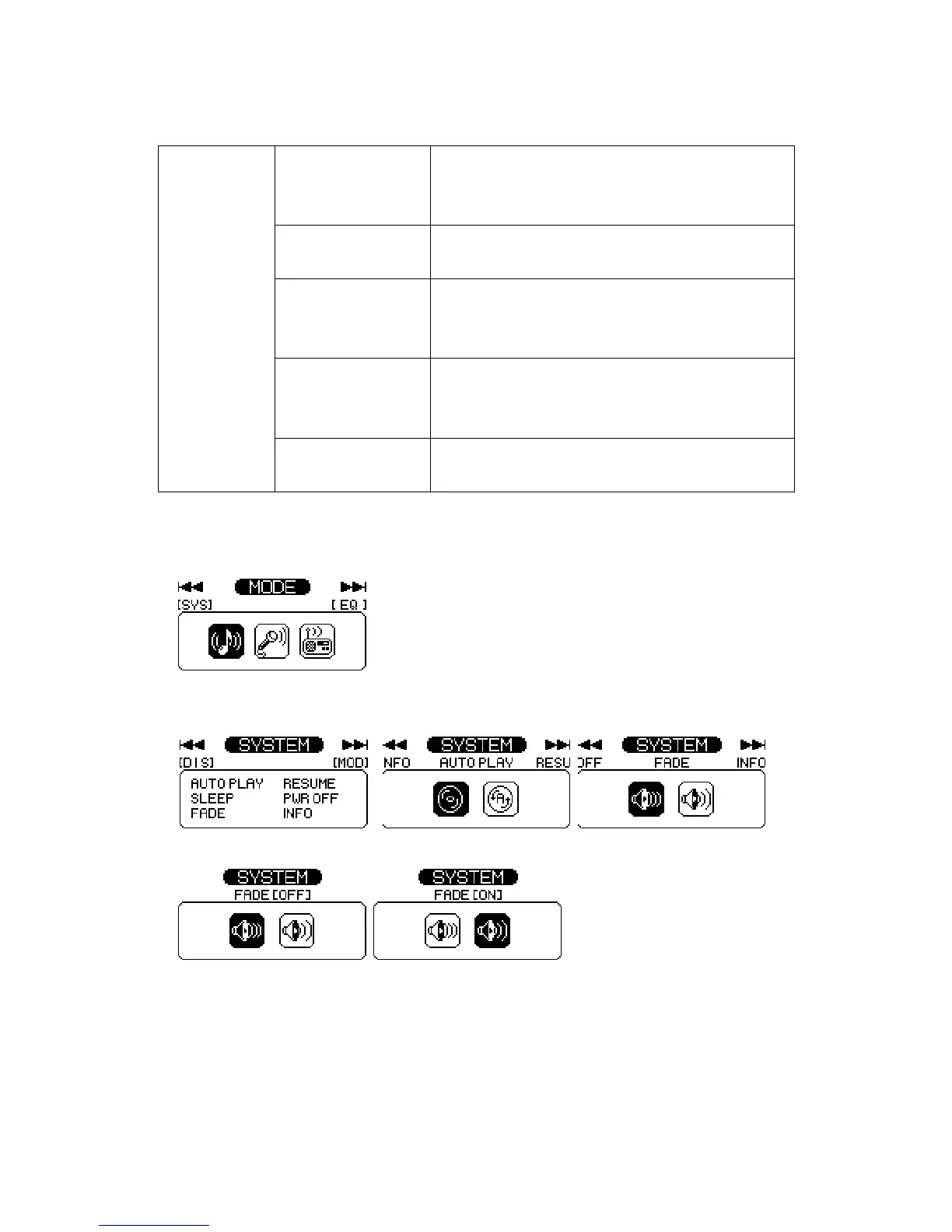
5. Fade When activated, volume increases gradually at
playback to prevent sudden loudness.
1. Off 2. On
6. Information Display the Firmware Version, Internal Total/Free
Memory, External Total/Free Memory information.
Change the Setup Status of the REPEAT Menu
1. Enter the menu by pressing the stick button for long.
2. Select the system menu by pushing the stick button and enter the fade menu by pressing
the stick button.
3. Move to the ON using the stick button. Save the setup status by pressing the stick button.
4. Move to the Playback pressing the FUNC button.


 To Next Page
 Loading...