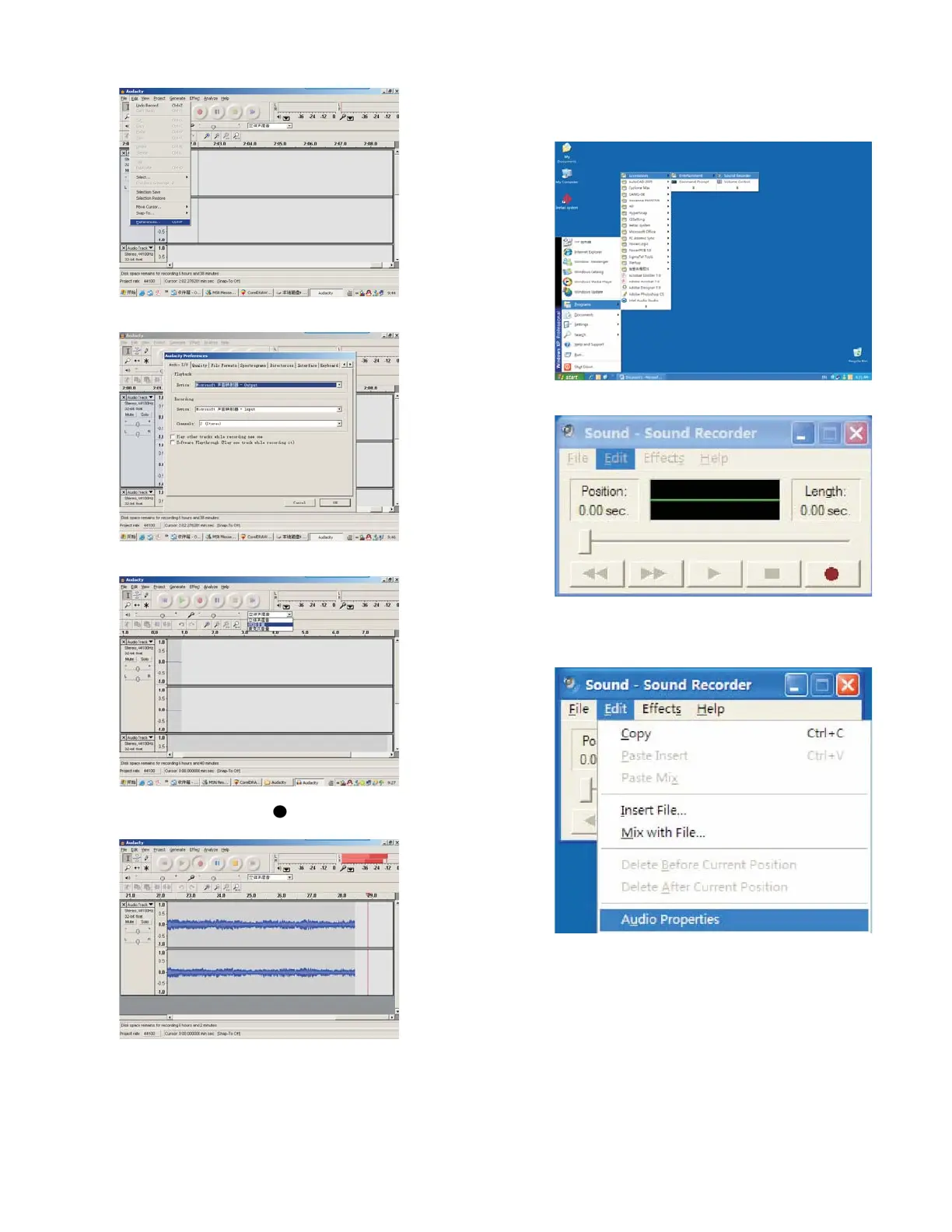
Audacity Preference
4. Adjust output and input volume.
5. Select record button (
) to record the disc, left
and right tracks will show on the interface;
If no fluctuant wave on the interface during
recording, please adjust the line in volume as
follows:
(i) Click “start” in left corner of the computer,
Select “Programs” , “Accessories”,
“Entertainment” , “Sound Recorder” and go
into the sound record interface.
(ii) Sound Recorder Interface
(iii) Select Edit and click “Audio Properties” in
bottom of the menu to go to “Audio
Properties” interface:
6


 To Next Page