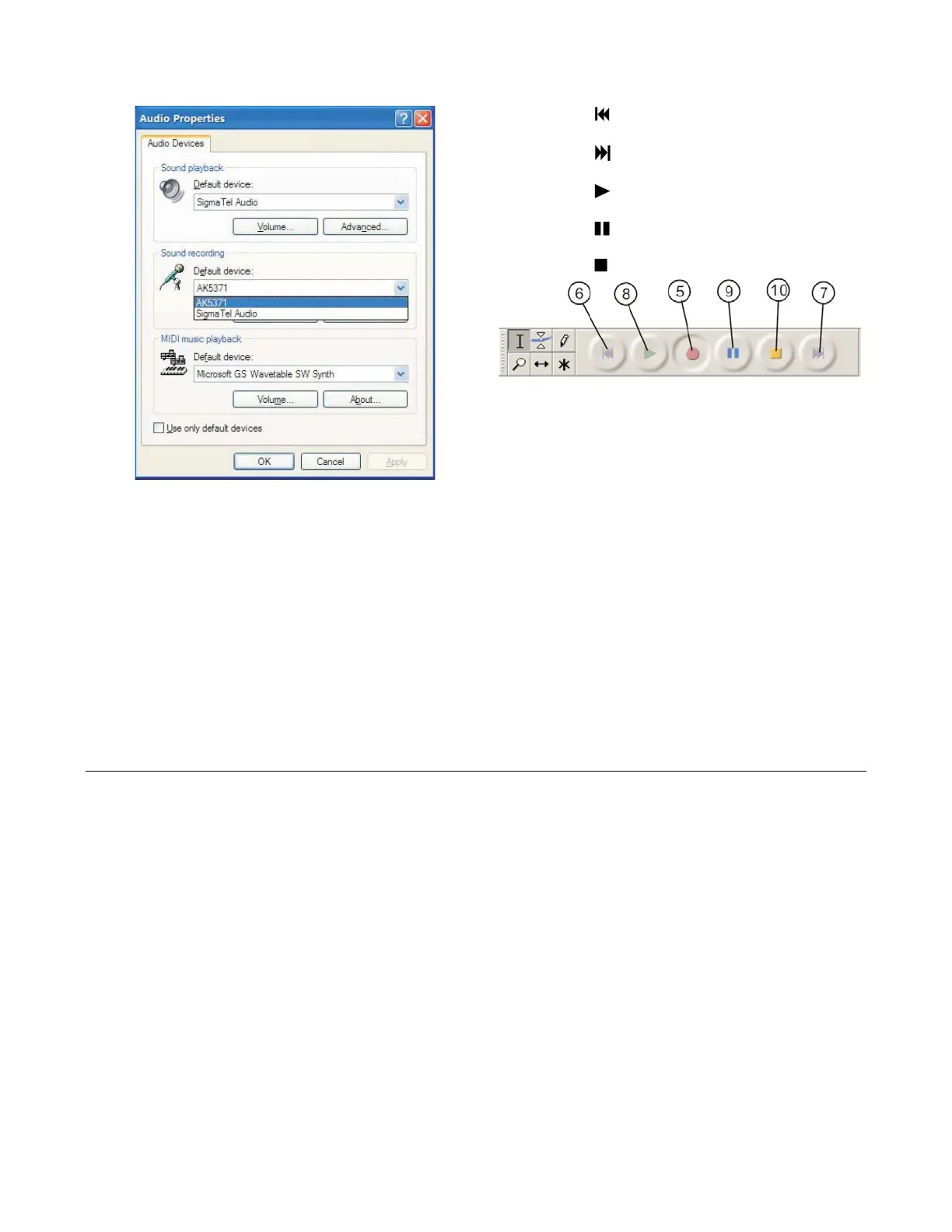
Audio properties Interface
6.
Click the (
) button to skip to start;
7.
Click the (
) button to skip to end;
8. Click the (
) button to play;
9. Click the (
) button to pause the record play;
10. Click the (
) button to stop the Record.
11. Export music files to WAV, MP3, Ogg format.
- Once you finished the record, you should save
your music to the computer.
- Click File menu and move down to Export as
WAV format, MP3 format or Ogg format.
(iv)
Select sound recording volume and go to
“Recording Control” interface:
-
Click anyone format to save the music, and you
will ask for the file name of the music recorded.
- Note: Audacity does not export MP3 files directly,
you should download the LAME MP3 encoder,
which named lame_enc.dll.
Adjus
t the line in volume to most or middle, the
fluctuant wave will show on the interface when
recording.
SPECIFICATION
Power Supply : AC 240V ~ 50Hz
Power Consumption : 25W
Radio Section : FM 87.5 – 108 MHz
AM 525 – 1620 Khz
7


 To Previous Page