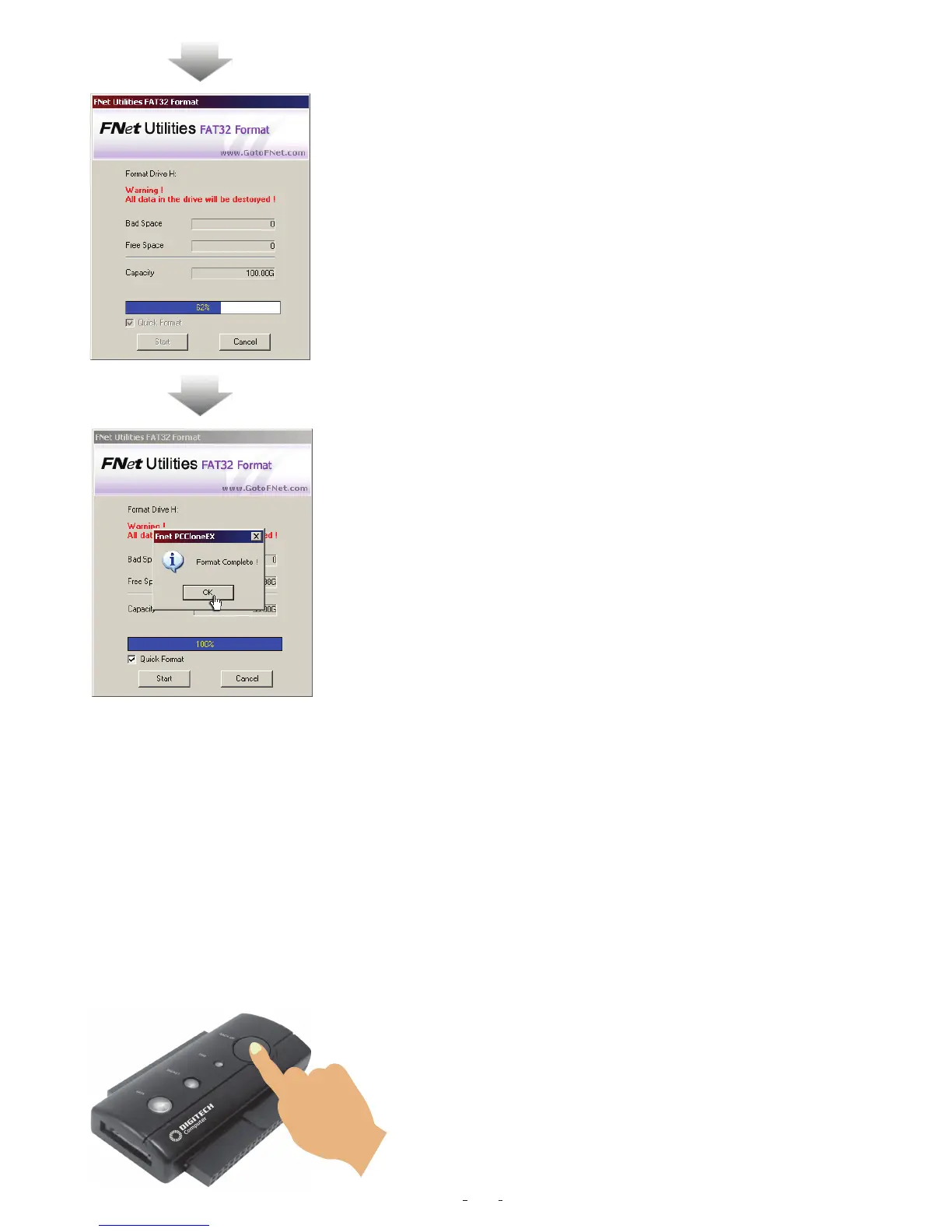
5. The window shows in progress.
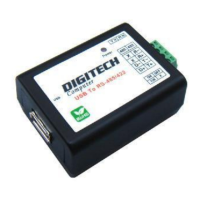
6. The formatting is completed. Please press “OK”.
(The selected USB HDD has formatted by this program
to be FAT32 file system.)
One Button File Backup (Windows 98 / Me do not support)
One Button backup function only supports the external HDD case with button design--It
won't set comprehensive steps for backup anymore, only use the button on the external
HDD case.
Note: when you click the button for backup, the icon of PCCloneEX must be staying at
the notification area.(For first time using, please refer to the context of "File backup"
and "Setup".)
Steps
-------------------------------------------------------------------------------------------------------------------
1. Please plug USB HDD. (Turn on USB power)
2. Execute PCCloneEX.
3. Just press the button on the external case.
”BACK UP”
10


 To Next Page