File Restore
Step
--------------------------------------------------------------------------------------------------------------------
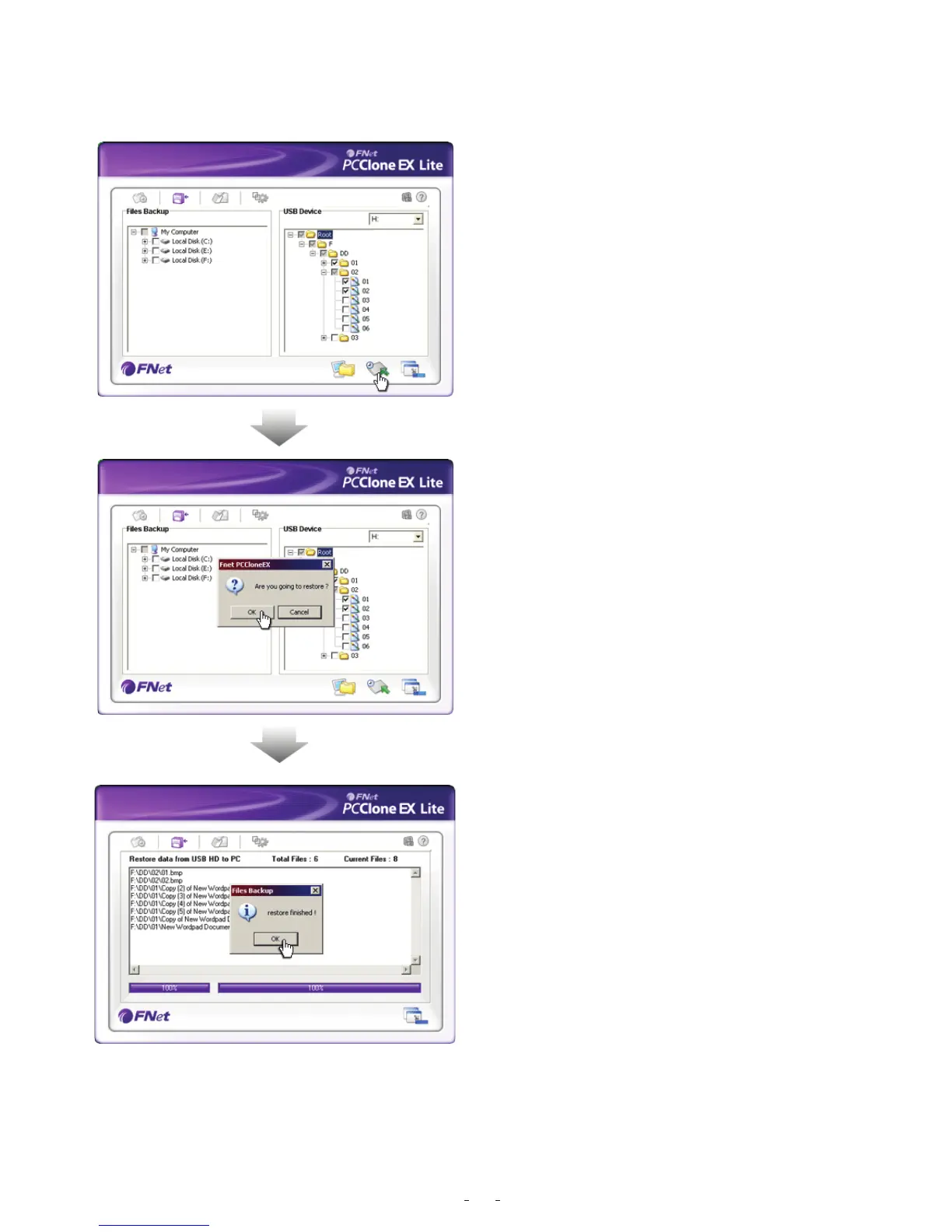
1. Please plug the USB HDD, and turn
on the power.
2. Execute PCClone EX.
3. Go on the PCClone Ex screen.
4. Click “File Backup”.
5. Select folders/files of USB device you
would like to restore.
6. Click “Restore”, then press “OK” to start
7. When “Restore” is finished,
please press “OK”.
16


 To Next Page