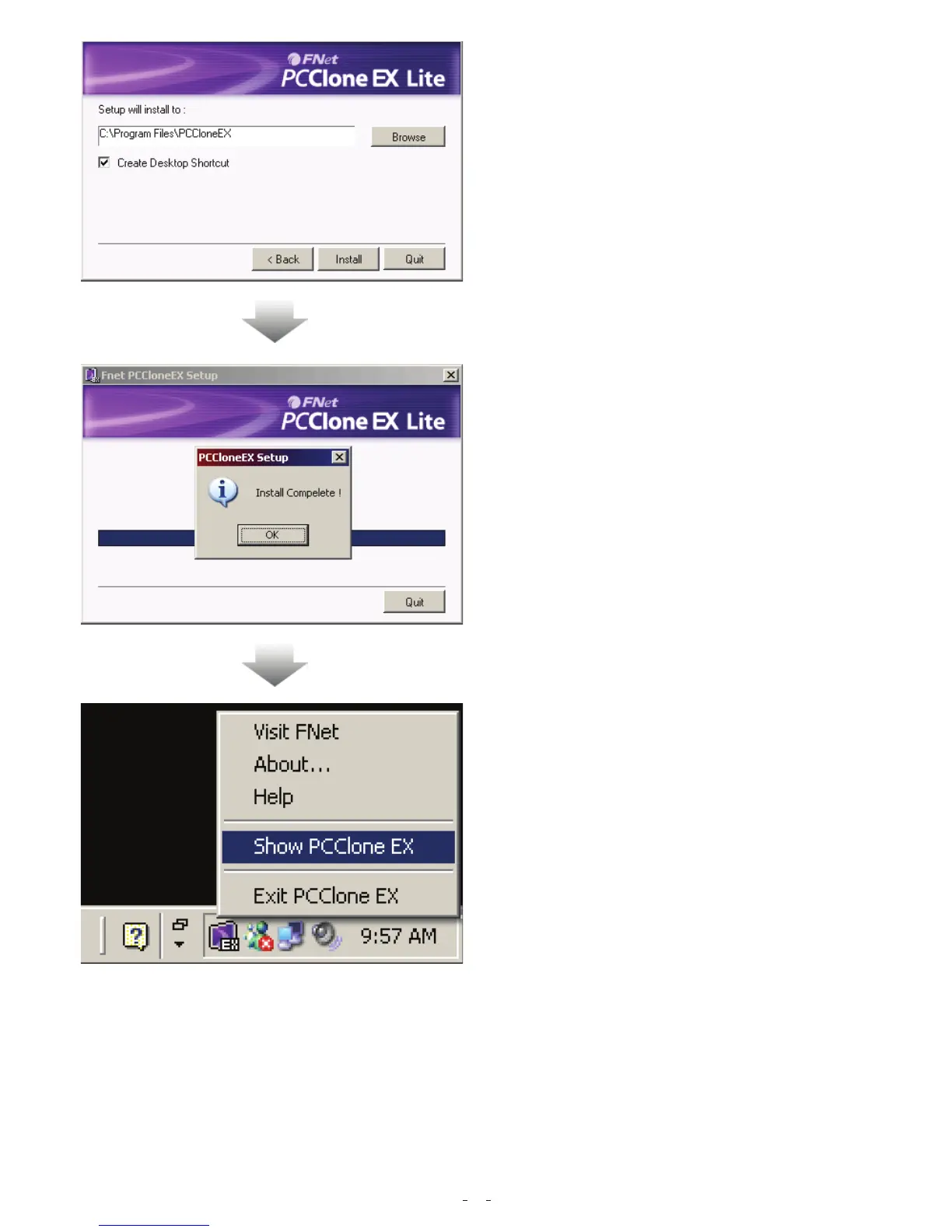
5. Please setup the installing pathway,
and then click “Install” to next.
6. The installation is completed, please
click “ OK” to exit.
7. “PCClone Ex” icon will displays in the
notification area after setup; users can
double- click the icon or press the right
key of the mouse to execute PCClone
EX.
6


 To Next Page