3. PACKAGE CONTENTS
Adapter trays X3 HDMI cable Cleaning brush
4. OPERATING INSTRUCTIONS
NOTE: Illustrations are for
instructional
purposes only,
and may be different
from
the actual product.
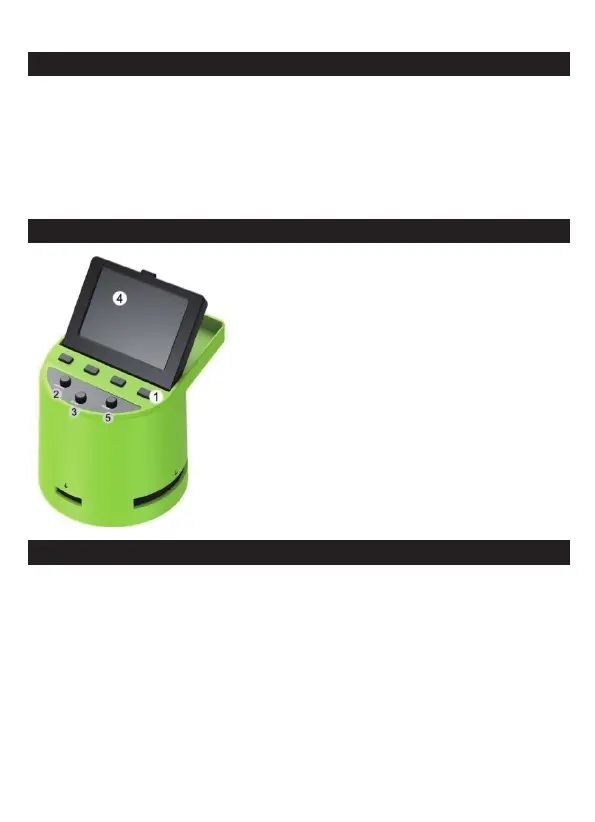
1. Function Keys
2. Power On/Off Button
3. Capture Button
4. Tilt-up LCD Screen
5. Home Button
4A. CONTROLS
1. Function keys (soft keys): The function is indicated by the text that
will appear on the screen above the corresponding key.
2. Power button: Press and hold to turn the device on and off.
3. Capture button: Captures the image or brings up the capture view
screen.
4. Tilt-up LCD screen: Displays the image to be captured and
scanned as well as functions and menus.
5. Home button: Takes you to the Home screen.
2 - EN



 To Next Page