4B. PREPARING MEDIA TO SCAN
Before using your film scanner, you must insert an SD card (not
included) or the unit will not operate. There is no built-in memory.
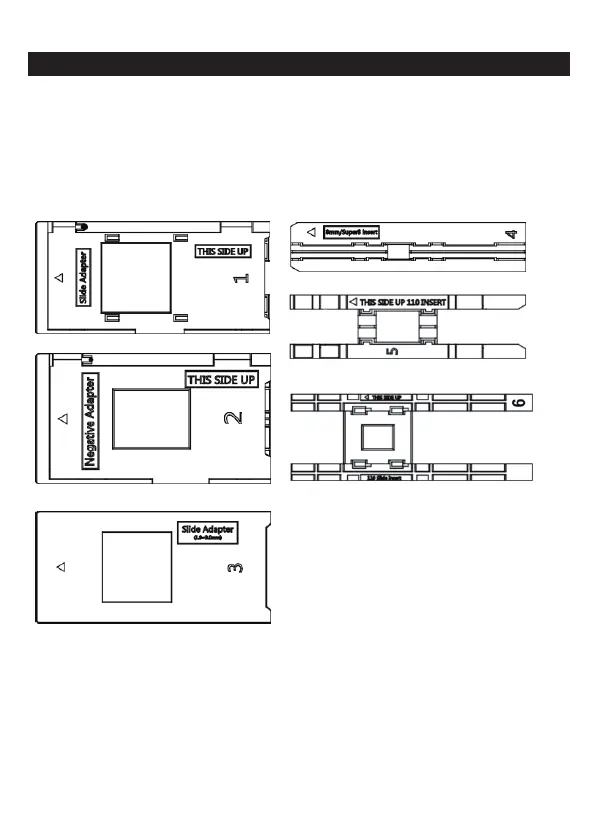
Load your film/slide into the appropriate adapter and insert according
to the Tray Directory below. ( can be found at Home>Help).
Each adapter tray and insert is clearly marked and numbered.
3 - EN



 To Next Page