5. ID Paring, First turn off the and receiver and microphone. Press and hold the set
with power button at the same time until the
flashing. Then quick turn on
the receiver with 2 seconds. When the receiver light turn red to blue. It means
match successfully. This one match the receiver.do the same step for the other
one(after match each. If you want use the other microphone.you need do the
same step)
Note:even you match ID.the same frequency cant use at same time.(you need
choose different frequency)
6. When the battery symbol is flashing, replace the battery.
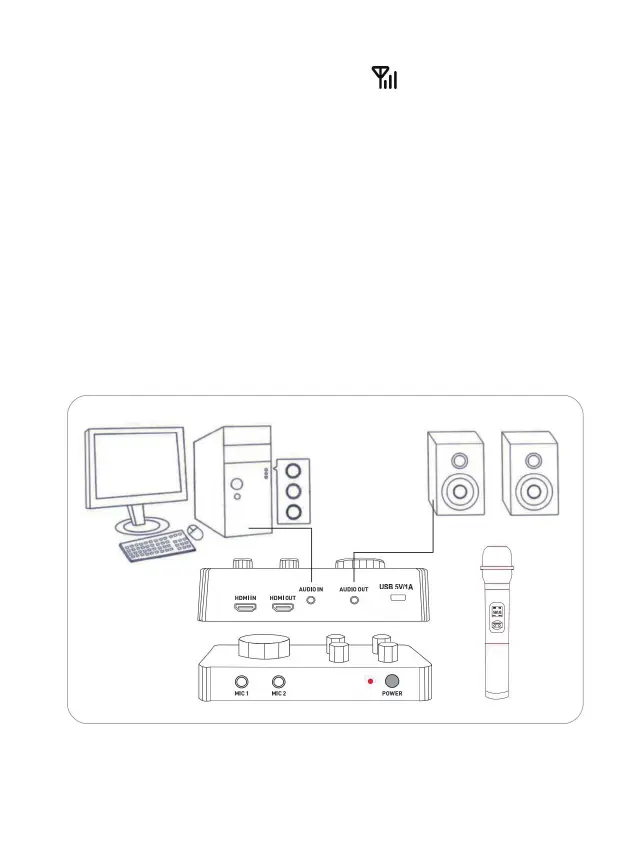
1. PC Karaoke mode(desktop PC & Notebook PC
)
4 - EN


 To Next Page