Proper Operation Sequence
(1) Slide or load film/negative film to board holder.
(2) Insert board holder to scanner.
(3) Connect scanner USB cable to PC.
(4) Press power button to turn on scanner.
(5) Press scanning button to start scanning.
(6) Operation according to indication of manual on
screen.
(7) After finishing working, take storage card out.
(8) Picture also can be read from PC through USB
connection
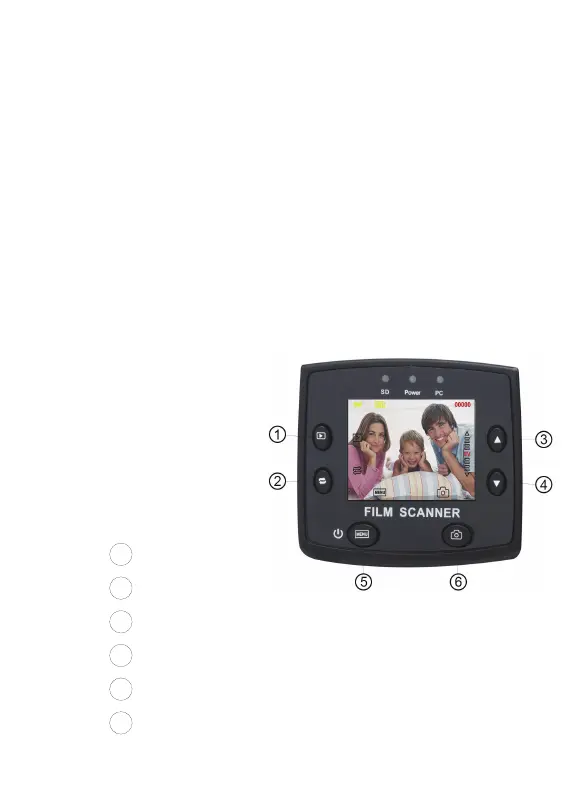
Operation Guide:
1. Key introduction
1
Playback
2
Mirror Image/Rotation
3
Up
4
Down
5
Power on/off/ menu
6
Capture/ok
6 - EN



 To Next Page