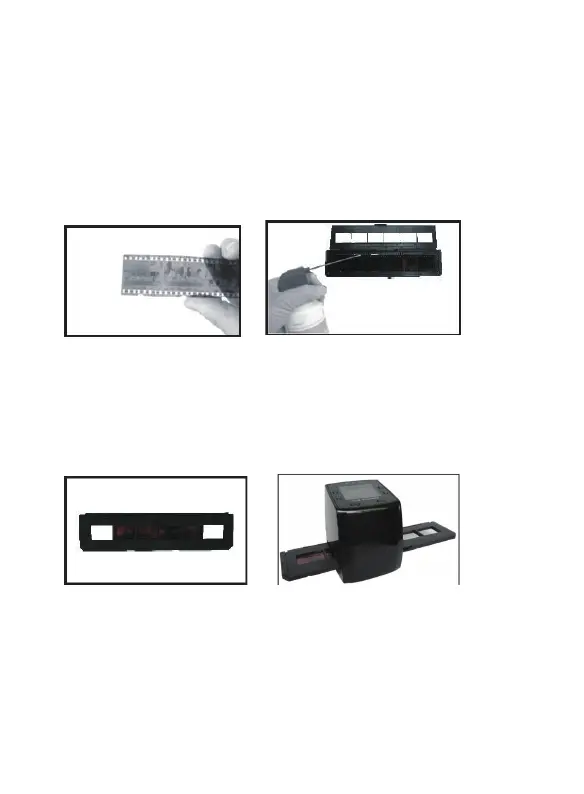
Loading Negatives
Hold up the negative toward the light. As you look
through the negative, you should be able to read
the small negative numbers normally (not a mirror
image). Now turn the negative so the image is
upside down while looking at the same side.
Open the negative holder at the marked spot on the
top. With the negative holder laid open place the
negative into holder so the notches line up with the
notches on the holder.
Close the negative holder and press the edges so
that
it locks in place. Hold it in the position as
shown in the film scanner. Insert the negative
holder into the slot on the right side of the film
scanner as shown.
5 - EN



 To Next Page