5
2.2 Software Installation
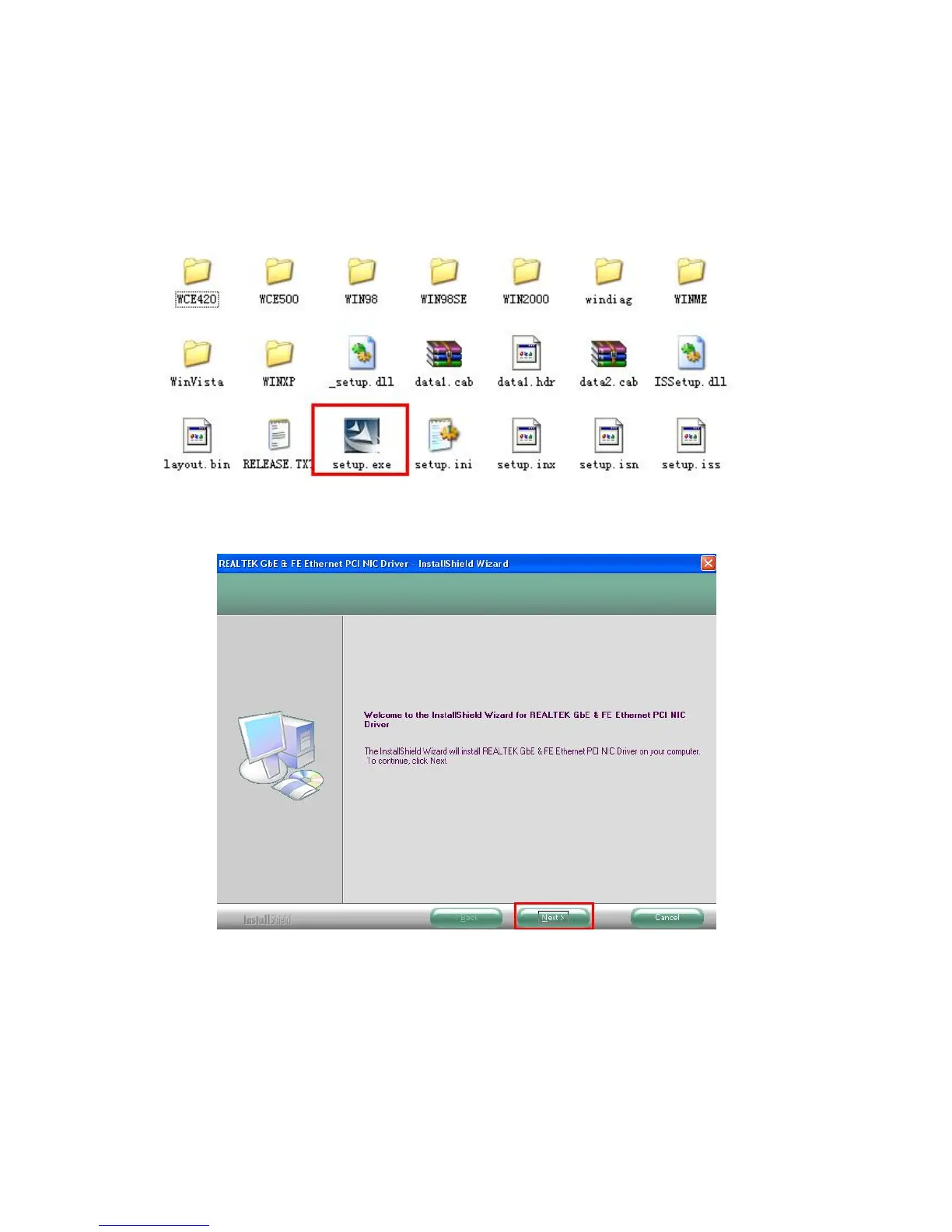
Step 1: Insert the CD (which u got with the gift box) into the CD-ROM and follow the steps which are shown
below in the screen shot.
Step 2: Open your “CD-ROM” please open the “Driver” folder and double click “Setup.exe” file, the driver
installation will start.
Step 3: Please click “Next” button to continue



 To Next Page