EasyManua.ls Logo

Digitus DS-45325 - User Manual

Digitus DS-45325
7 pages
Print Icon
To Next Page IconTo Next Page
Loading...
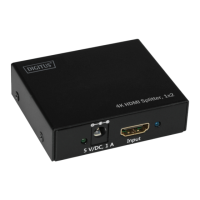
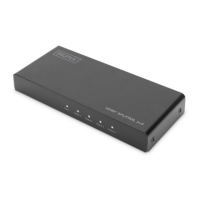
HDMI® Splitter, 1x4,
4K / 60 Hz with Downscaler
Quick Installation Guide
DS-45325

Questions and Answers

  • A
    Ashley JensenAug 11, 2025
    What to do if Digitus DS-45325 have no picture but sound?
    • C
      Cassandra HodgeAug 11, 2025
      If you are getting sound but no picture, or a pink screen, with your Digitus Cables and connectors, the issue might be that your display doesn't support the current resolution or HDCP. To resolve this, try lowering the resolution of the input HDMI signal. If that doesn't work, consider using a non-HDCP input source or HDCP-compliant displays or devices.
  • S
    Shannon HollandAug 18, 2025
    Why Digitus Cables and connectors show no picture on FHD TV with 4K@60Hz source?
    • Z
      zachary16Aug 19, 2025
      If your Digitus Cables and connectors display a normal picture on a 4K HDR supported TV but show no picture on an FHD TV when connecting a 4K@60 Hz source, it could be that the downscaler function doesn't support the input signal, such as a 4K@60 Hz 4:2:2 HDR signal (Dolby Vision) or when connecting one FHD TV with a fixed 4K@60Hz output device. The downscaler function only supports 4K@60Hz 4:4:4 and 4:2:0 (HDR 10) signal downscaling to a 1080p signal. You may need to change to a supported downscaler signal input.
  • C
    Christian JonesAug 27, 2025
    How to fix screen splash on Digitus DS-45325?
    • D
      Dennis HardingAug 27, 2025
      If you're experiencing screen splash issues with your Digitus Cables and connectors, it may be due to using an HDMI cable that isn't HDMI 2.0 specification or is too long. To fix this, use a standard HDMI 2.0 cable. Ensure the input/output cable length doesn't exceed 5 meters for 4K/60 Hz 4:4:4, or 10 meters for 4K@30Hz/1080p.
  • T
    Terry HansonSep 2, 2025
    What to do if the power light is off and Digitus Cables and connectors are not working?
    • D
      David ParkerSep 2, 2025
      If the power light is off and your Digitus Cables and connectors are not working, check that the power adapter is properly connected and that the power on/off button is switched on.

Digitus DS-45325 Specifications

General IconGeneral
BrandDigitus
ModelDS-45325
CategoryCables and connectors
LanguageEnglish

Related product manuals