18
When a mobile device is connected and you want to switch to HDMI
transmitter, just press the button on TX to share. You don’t need to
disconnect mobile device first.
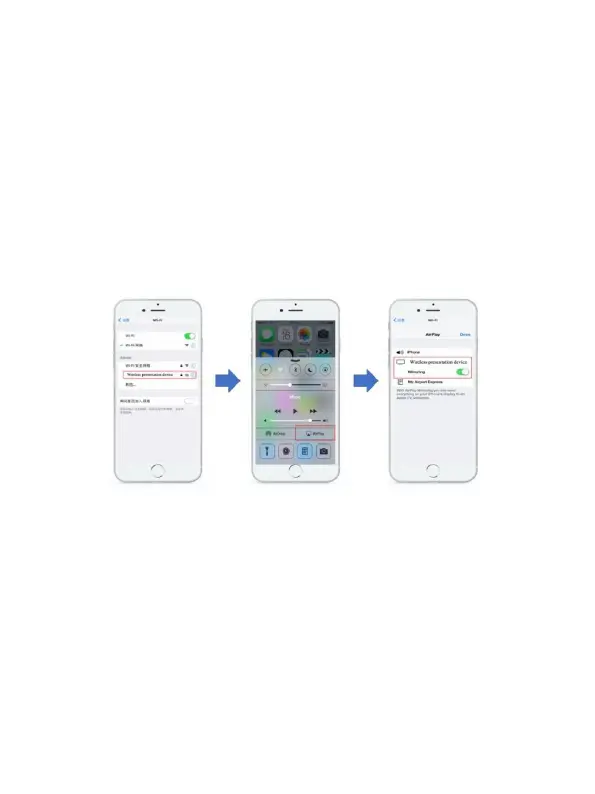
IOS Devices:
• Search RX (Receiver) SSID and connect in Wifi settings. (SSID:
DIGITUS…, Password: 12345678), the is SSID shown on the left
upper corner of the RX start screen
• Use the screen mirroring function of the smartphone
• Choose RX (Receiver) DIGITUS-… to start sharing
Android devices:
• Make sure your android devices Wi-Fi is activated/available
• Go to the Mirror/Share/Cast function of the smartphone
• Choose RX (Receiver) DIGITUS-… to start sharing



 To Next Page