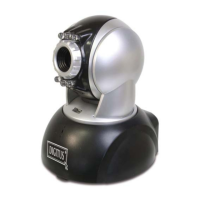
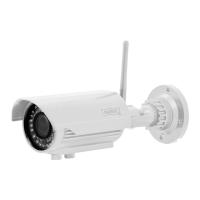
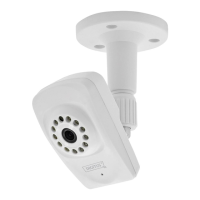
The DIGITUS® OptiView DN-16028 is an IP camera designed for surveillance and monitoring, featuring a range of functionalities for both basic and advanced users. This document outlines the firmware upgrade procedures, which are crucial for maintaining optimal performance and accessing the latest features.
Function Description:
The DIGITUS® OptiView DN-16028 serves as a network-connected camera, allowing users to monitor a specific area remotely. It provides livestreaming capabilities, enabling real-time video feeds accessible through a web browser or a smartphone. The camera supports various network configurations, including both wired and wireless LAN connections, making it versatile for different installation environments. It also includes features for recording video, managing alarms, and sending notifications via email or FTP. The device is designed to be easily discoverable on a local network using a dedicated search utility, simplifying the initial setup process.
Important Technical Specifications (Inferred from the manual):
- IP Addressing: Supports both static and DHCP-assigned IP addresses. The default IP address shown in the example is 192.168.1.100, with a subnet mask of 255.255.255.0 and a gateway of 192.168.1.1.
- DNS Servers: Configurable DNS settings, with an example showing DNS1 as 8.8.8.8 and DNS2 as 217.0.43.17.
- MAC Address: Unique hardware identifier, e.g., 00:a9:ad:00:70:d6.
- Port: Default port for web access is 81.
- Video Resolution: Supports VGA resolution.
- Frame Rate: Capable of up to 30 frames per second.
- Video Mode: Supports 50 Hz mode, indicating compatibility with PAL video standards.
- Image Settings: Adjustable brightness and contrast settings.
- PTZ Speed: Configurable Pan/Tilt/Zoom speed (e.g., Slow).
- Firmware: The upgrade process involves specific firmware files, such as "64.1.0.22-only-daemon.bin" and "64.1.0.22.bin," highlighting a modular firmware architecture.
- Web Interface: Accessible via a standard web browser (e.g., Internet Explorer) for configuration and monitoring.
- User Management: Supports user accounts (e.g., "admin") with password protection for secure access.
Usage Features:
- Easy Device Discovery: A "Search Utility" is provided on the accompanying CD to locate the camera's IP address on the network, simplifying initial setup.
- Web-Based User Interface (Web UI): The camera's settings and live feed are accessible through a web browser. Users can log in with credentials (default "admin" for both username and password) to manage the device.
- Livestreaming: Offers real-time video streaming, with specific modes optimized for different platforms (e.g., "livestream mode (for Internet Explorer)" and "videostream mode (for FireFox)").
- Snapshot Mode: Provides a mode for capturing still images, potentially optimized for smartphone viewing.
- SD Card Video Playback: Supports playback of recorded video stored on an SD card, indicating local storage capabilities.
- Video Parameter Adjustment: Users can customize video settings such as resolution, frame rate, brightness, and contrast to suit their preferences and environmental conditions.
- PTZ Control: The camera features Pan/Tilt/Zoom capabilities, allowing users to remotely adjust the camera's view. The speed of these movements can be configured.
- Alarm Management: Includes settings for various alarm services, such as email notifications and FTP uploads, triggered by events detected by the camera.
- Network Configuration: Comprehensive network settings allow users to configure IP address, subnet mask, gateway, DNS servers, and wireless LAN settings.
- DDNS Service: Support for Dynamic DNS services, enabling remote access even with dynamic IP addresses.
- Multi-Device Management: Features for managing multiple cameras, suggesting scalability for larger surveillance systems.
Maintenance Features:
- Firmware Upgrade: The device supports firmware upgrades, which are essential for bug fixes, security enhancements, and new feature additions. The manual details a specific, two-step process for upgrading firmware, emphasizing the correct sequence of files ("64.1.0.22-only-daemon.bin" first, then "64.1.0.22.bin").
- Reboot Device: A "Reboot Device" option is available within the maintenance section of the web UI, allowing users to restart the camera remotely.
- Restore Factory Settings: Users can restore the camera to its default factory settings, which can be useful for troubleshooting or reconfiguring the device from scratch.
- Embedded Web UI Upgrade: The manual mentions an option to "Upgrade Device Embeded Web UI," indicating that the web interface itself can be updated independently of the main device firmware.
- System Logs: The presence of an "Alarm Log" suggests that the camera maintains logs of events, which can be valuable for diagnostics and security auditing.
- Regular IP Address Search: After a reboot following a firmware upgrade, the IP address might change, requiring users to re-run the "Search Utility" to locate the device, ensuring continued access.
- User Account Management: The ability to manage user accounts and passwords contributes to the security and maintainability of the device, allowing for controlled access to its functions.

 Need help?

 To Next Page
 General