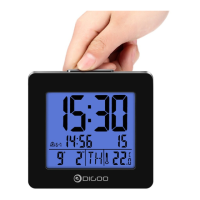
DIGOO DG - AC1
Wooden LED Digital Clock Operation Manual
1. SET button
2. UP button
3. DOWN button
4. C/F button
5. External power supply socket
6. Battery Compartment 3xAAA
(batteries not included)
1 2 3 4
5
6
a. LED time display
b. 2 display modes switchable
c. 3 levels of brightness can be chosen
d. Night mode (default: 18:00- 06:59)
e. 4 buttons: SET, UP, DOWN, C/F
f. The date you can set from 2000.1.1 to 2099.12.31
g. 4 digital time display: hour, minute
h. 3 groups alarm can be set (AL1, AL2, AL3)
i. Time memory function (backup battery)
j. Indoor temperature display
k. Voice control function & power saving mode
Buttons Function
Function
Operation
Standard
mode
Press
Hold
Press
Hold
Press
Hold
Press
Hold
Time
setting
mode
Alarm
setting
mode
Time
format
setting
UP DOWNSET C/F
To switch
the display mode
Into setting mode
To confirm
the setting item
To confirm
the setting item
---- ---- ---- ----
----
----
----
----
Switch C/F
Into light
level setting
To raise the setting
item by one step
To raise the
setting item by
8 steps/second
To raise the setting
item by one step
To raise the
setting item by
8 steps/second
Switch 12H/24H
To open/close the
power saving mode
To lower the setting
item by one step
To lower the
setting item by
8 steps/second
To lower the setting
item by one step
To lower the
setting item by
8 steps/second
Switch 12H/24H
Switch C/F
Into light
level setting
To raise the setting
item by one step
To raise the
setting item by
8 steps/second
To raise the setting
item by one step
To raise the
setting item by
8 steps/second
Switch 12H/24H
Main Function
Description of control
a. Insert the battery first, then the screen will display 0-9 ten numbers, after that light the PM light spot, seconds light
spot, AL light spot, temperature light spot successively, the final with the three BI BI BI sounds into normal display
(upper is temperature and under is time)
b. Default year and date is: 1st Jan 2016
Power up or Reset:

 Need help?
 General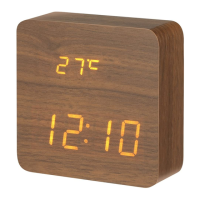

 To Next Page