4
USING YOUR DISHWASHER
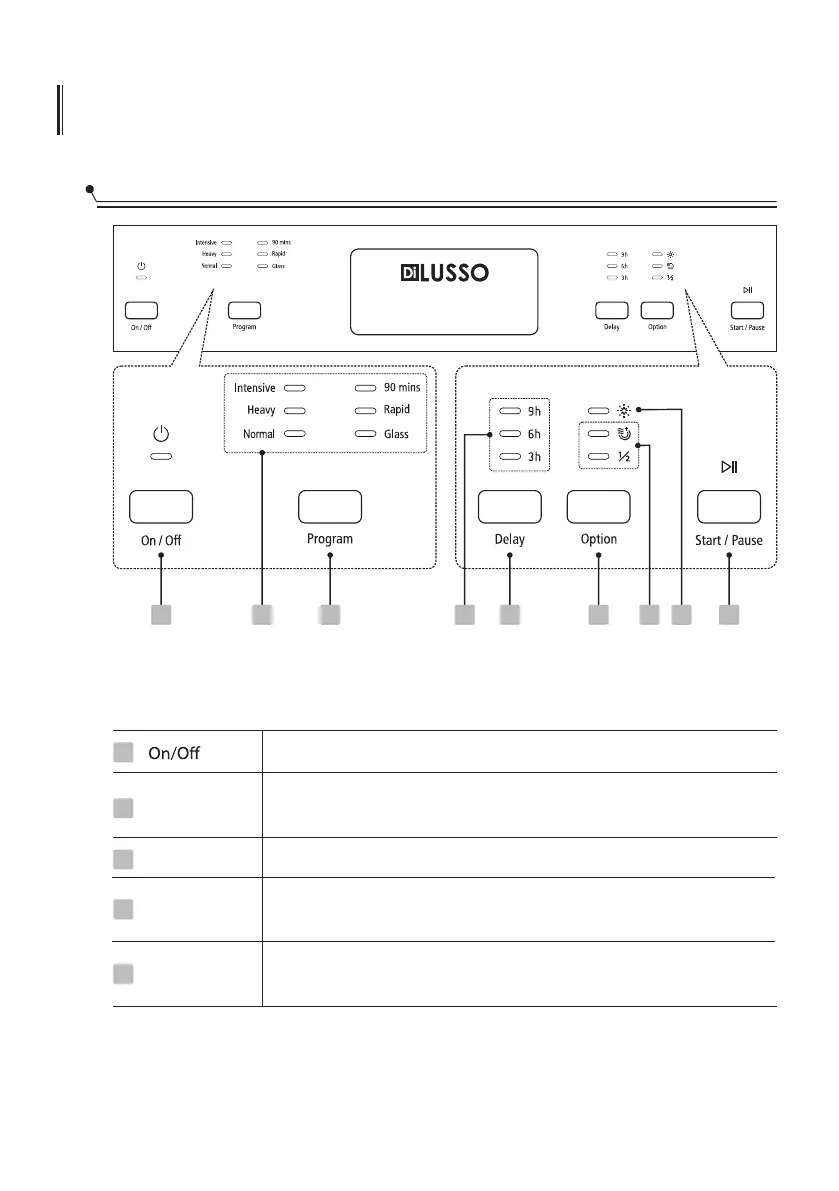
Control Panel
Operation (Button)
Delay
Option
Program
Press this button to turn on your dishwasher, the screen lights up.
Press the button to set the delay time. (3h/6h/9h)
Press the button to select a function, corresponding indicator will
be lit.
1
3
4
2
1
Press this button to select the appropriate washing program,
corresponding indicator will be lit.
To start the selected washing program or pause it when the
dishwasher is working.
Start / Pause
5
2 3 4 56 7 89



 To Next Page