
 Need help?
Do you have a question about the Dimension One Spas BAY Series and is the answer not in the manual?
Key details and recommendations for new hot tub owners.
Information regarding Federal Communications Commission compliance.
Preventing entrapment injuries from suction fittings and moving parts.
Dangers of overheating, symptoms, and health effects.
Understanding warning labels on the hot tub.
Specific safety standards and requirements for users in Canada.
Guidelines for selecting the optimal and safe placement for your hot tub.
Considerations for selecting an outdoor hot tub site.
Key factors for successful indoor hot tub installations.
Essential safety precautions for electrical systems connected to the hot tub.
Detailed steps for safe and compliant hot tub electrical wiring.
Specifications for the electrical power needed for various models.
Step-by-step guide for filling the hot tub with water.
Instructions for cleaning and sanitizing the hot tub water.
Initial steps to power on and prepare the hot tub for use.
Detailed sequence of events during the initial power-on.
Guide to using the advanced touch screen control panel.
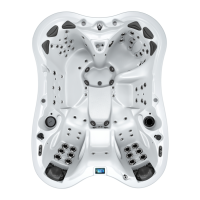
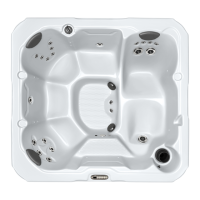
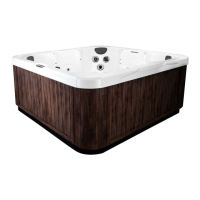
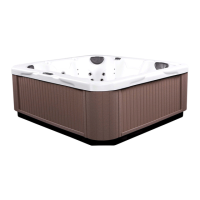
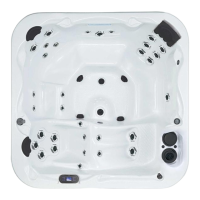
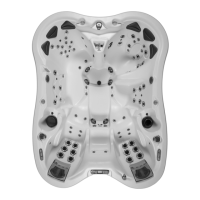
Identification and description of the hot tub's main components.
Using the touch control panel for various functions.
How to turn on and control the jet pumps.
Controlling interior and exterior lighting effects.
Using the built-in stereo and Bluetooth features.
Steps to power on the hot tub's stereo system.
Adjusting balance, fade, and subwoofer levels.
Selecting audio sources like Bluetooth or FM.
How to connect your Bluetooth device to the hot tub.
Customizing water flow and pressure for different jets.
Operating the hot tub's fountain feature.
Using the fingertip controls for major functions.
Using the adjustable neck and shoulder massage system.
Customizing massage by diverting water pressure between jet groups.
Understanding the meaning of the hot tub's status indicator light.
Explaining the automatic jet massage sequences.
Step-by-step guide to operating the dynamic massage sequencer.
Explanation of economy modes for heater and filter cycles.
Overview of the maintenance menu features.
Setting timers for filter cleaning, water changes, and spa checks.
Putting the hot tub in standby for maintenance.
Contact details for authorized dealers for service and parts.
Deactivating the vision cartridge maintenance reminder.
Setting the hot tub's date and time.
Customizing display, contrast, language, and color.
Selecting Celsius or Fahrenheit for temperature display.
Adjusting normal or inverted display modes.
Choosing between day or night contrast modes.
Choosing the display language for the control panel.
Selecting the back-lighting color for the control panel.
Accessing electrical settings, typically for dealer use.
Connecting the hot tub to a Wi-Fi network.
Configuring settings like 'Warm weather' mode.
Enabling filtering during high temperatures.
Viewing software and system information.
Procedure for removing and cleaning the hot tub filter cartridges.
Guidelines for cleaning and protecting the hot tub shell and cabinet.
Steps for draining the hot tub and preparing for cold weather.
Tips for cleaning, conditioning, and caring for the hot tub cover.
Information on the advanced water purification system.
Importance of maintaining proper pH levels for water health.
Using chlorine or bromine to keep the water clean and safe.
Using optional chemicals to balance water and enhance experience.
List of error codes and their meanings for troubleshooting.
Safety warnings for the operation and maintenance of the stereo.
 General
| Series | BAY Series |
|---|---|
| Number of Jets | 30-50 |
| Heater | 4kW |
| Lighting | LED |
| Filtration System | Typically D1 Filtration System with a filter |


 To Next Page