Setback Settings
Setback is a function that only modifies Timer Mode operation. When Setback is enabled
it overrides any Heating O period to maintain a constant temperature during Heating
O periods.
This can be used to prevent the room temperature from falling below a minimum value
while there is no demand for heat (Heating On).
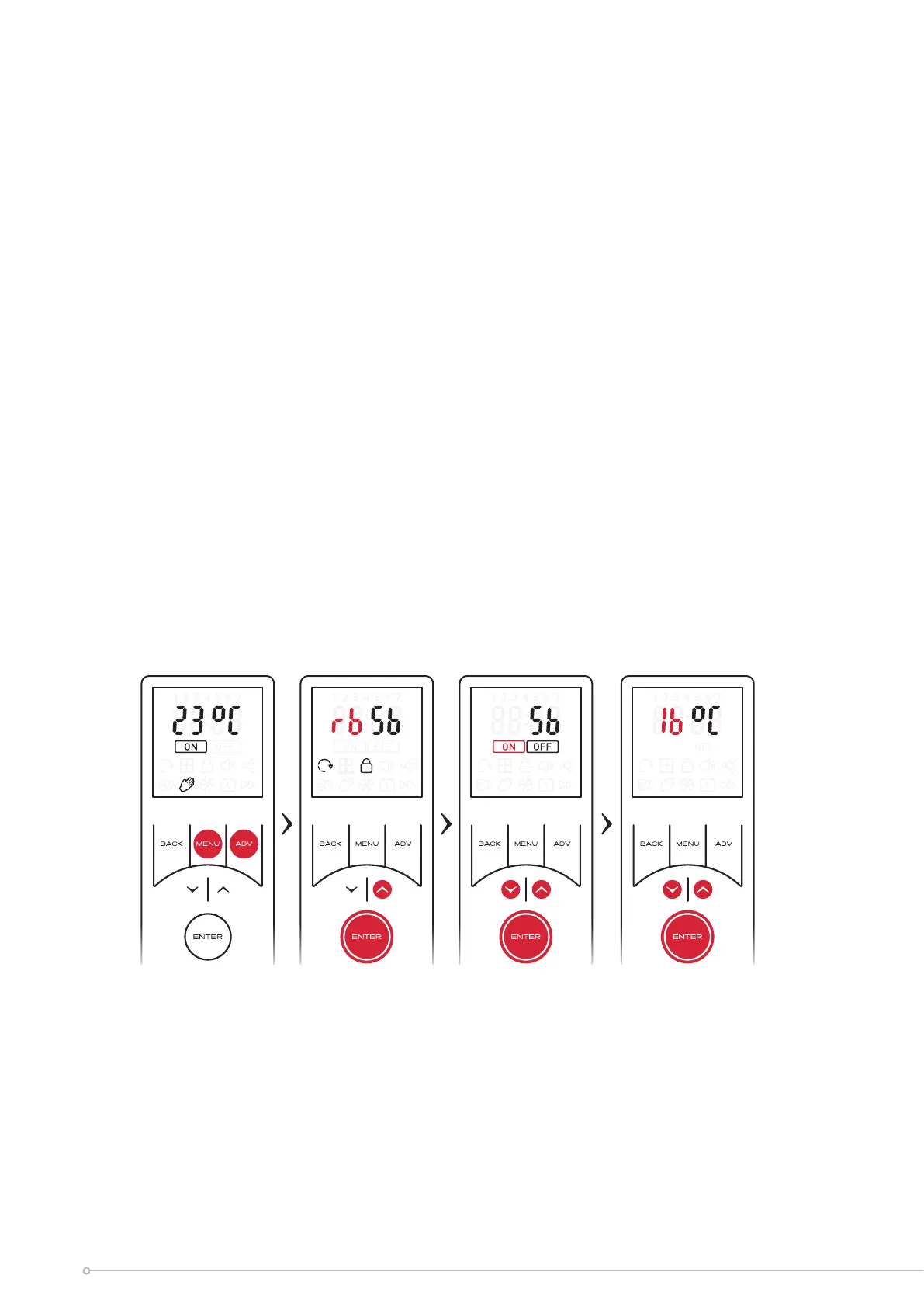
To activate and setup setback mode:
• Hold the ADV and MENU buttons for 2 seconds.
• Use the arrow keys to highlight ‘Sb’ and confirm using the ENTER key
• Use the arrow keys to select Setback ‘ON’ or ‘OFF.
• Selecting ‘OFF’ will return you to the home screen with Setback deactivated.
• If ‘ON’ icon is selected; you will be required to set a Setback temperature.
• Use the arrow keys to select the desired setback temperature. Press ENTER to
confirm and return to the home screen. Setback mode will be active
30


 To Next Page