

EasyManua.ls Logo

Dinex Smart-Therm DX811220 - User Manual

Dinex Smart-Therm DX811220
10 pages
Print Icon
To Next Page IconTo Next Page
Loading...
Operating and Maintenance Manual
2023 CFS Brands-
Dinex
®
| Oklahoma City, OK 73131
www.cfsbrands.com | 800.654.8210 Manual No. STSIV_2023A
SmartTherm®
Model: DX811220 (208-240V 50/60Hz, 1-Phase)
CONTENTS
INTRODUCTION ......................................................................... 2
APPLICATION & USE .................................................................. 2
SAFETY ....................................................................................... 2
INSTALLATION............................................................................ 2
OPERATION INSTRUCTIONS ....................................................... 4
MANAGER OPTIONS .................................................................. 4
INFORMATIONAL WARNING5
TROUBLESHOOTING .................................................................. 5
ERROR CONDITIONS .................................................................. 5
MAINTENANCE .......................................................................... 7
FREIGHT CLAIMS ........................................................................ 8
DINEX
®
WARRANTY .................................................................... 8
For Service Information, call 1.888.673.4639
Please provide the following information:
Model number
_______________________
Serial number (from bottom of unit)
________________________________
Question and Answer IconNeed help?

Do you have a question about the Dinex Smart-Therm DX811220 and is the answer not in the manual?

Summary

Introduction

Application and Use

Safety Information

General Safety Precautions

Critical safety instructions to reduce risks of fire, shock, injury, and equipment damage.

Installation Guide

Operation Instructions

User Interface Overview

Details the function of POWER, SELECT, and UP/DOWN buttons and the LCD Info Center.

Operation Procedure

Step-by-step guide for placing and heating a base on the charger.

Power Saving Modes

Explains how the charger enters and exits power-saving sleep mode.

Manager Options

Accessing Options Menu

Procedure to enter the OPTIONS menu for settings like language and warnings.

Informational Warnings

Low Voltage Warning

Indicates low voltage affecting performance; can be suppressed via OPTIONS menu.

Reduced Airflow Warning

Alerts to check grease filter for reduced airflow; requires SELECT to continue.

Troubleshooting

Error Conditions

RFID & Base Errors

Covers RFID communication issues and incompatible base problems.

Overheat & Airflow Errors

Addresses unit overheating, fan operation, and airflow problems.

Voltage & Power Quality Errors

Details errors related to high/low voltage and power quality.

Critical Service Errors

Critical errors indicating unit service needs or electronics platform faults.

Maintenance

Charger Cleaning Guide

Instructions for safely cleaning the charger, including what not to use.

Grease and Air Filters

Guidance on inspecting, cleaning, and replacing grease filters.

Induction Base Care

Freight Claims

Dinex Warranty

Standard Warranty

Details the standard warranty for products regarding defects in material and workmanship.

Supplies and Accessories Warranty

Explains warranty coverage for supplies and accessories shipped with products.

Services

Warranty Duration and Remedies

Warranty Limitations

Overview

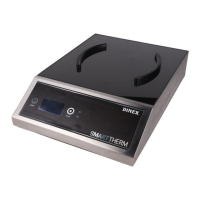
The Dinex Smart-Therm® Induction Charger, model DX811220, is a commercial-grade induction heating system designed to keep plated hot food warm for up to 60 minutes when used with compatible Dinex® insulated domes and bases within a controlled hot food tray line process. This device operates on 208-240V 50/60Hz, 1-Phase electrical power.

Function Description:

The Smart-Therm® Induction Charger is engineered to rapidly heat Dinex® Smart-Therm® bases, ensuring that food remains at proper delivery temperature. The system uniquely identifies the heat level of compatible bases, allowing for "top-off" heating as needed. The charger features an LCD Info Center that provides real-time feedback on the charging status of bases and overall equipment operation. It is designed for commercial use only and should not be used for household purposes. The primary function is to provide maximum induction heating specifically for Dinex® bases.
Important Technical Specifications:

  • Model: DX811220
  • Voltage: 208-240V
  • Frequency: 50/60Hz
  • Phase: 1-Phase
  • Electrical Connection: Requires a grounded 208V 1-phase, 20A dedicated NEMA L6-20R receptacle. Each charger needs its own dedicated circuit to prevent performance issues or damage from shared heavy current draw devices.
  • Charge Time: Approximately 16 to 20 seconds per base for a full charge. Low incoming voltage may extend this time.
  • Airflow: The unit requires ample airflow for cooling internal electronic components. Air is drawn from the bottom (front and sides) and exhausted towards the rear. A minimum of two inches of clearance on all sides from walls or partitions is necessary.
  • Grease Filter: A bottom-mounted grease filter is included (replacement part: DXPLE9560).

Usage Features:

  • User Interface: The charger is equipped with a POWER button for turning the unit on/off, an LCD Info Center for status display, a SELECT button for resetting errors, clearing messages, and selecting options, and UP/DOWN arrow buttons for navigating Manager Options.
  • Base Recognition: The charger beeps once when a compatible Dinex® SmartTherm® base is properly placed within the positioning rails and seated flat on the top surface.
  • Charging Progress: The LCD Info Center displays "Heating Base" and a status bar fills to indicate charging progress. Upon completion, "Base Ready" is displayed, and the unit beeps.
  • Heat Top-Off: The system can detect the current heat level of a base and will top off the heat as needed if a partially heated base is placed on the charger.
  • Sleep Mode: If no activity is detected for an extended period, the charger enters "Sleep" mode ("Power Save" displayed) to conserve power, indicated by two beeps. Any button press will exit this mode.
  • Manager Options: The charger offers configurable options accessible via a menu. These include:
    • Language Selection: English, Spanish, or French.
    • Warning Suppression: Ability to suppress informational warnings, such as "Low Voltage" or "Reduced Airflow Detected," which can be useful during periods of high electrical demand or if the filter is clean.
    • LCD Contrast Adjustment: Allows for modification of the display contrast.
    • Accessing Manager Options: Power down the unit, then press and hold the SELECT button for 5 seconds. Release SELECT, then press POWER once within two seconds. Use UP/DOWN arrows to navigate and SELECT to confirm.
  • Error Reporting: Errors are displayed as easy-to-understand text messages and error codes on the LCD Info Center. Multiple errors will alternate on the display. Errors can be reset by pressing SELECT. If an error persists, a power cycle (unplugging for 5 seconds) may be necessary.
  • Compatible Bases: The charger is designed exclusively for Dinex® Smart-Therm® bases, including models like DX821003 (Onyx), DX821061 (Cranberry), DX821050 (Blue), DX821084 (Sage), DX821031 (Latte), and DX821044 (Graphite Grey).
  • Drying Racks: After washing, bases should be stored in specific Dinex® drying racks (DXIBDRS90 for 90 bases, DXIBDRS180 for 180 bases, DXIBDRS270 for 270 bases).

Maintenance Features:

  • Cleaning:
    • Always unplug the charger before cleaning.
    • Wipe the entire charger with a damp cloth and mild detergent. Dry thoroughly before reconnecting to power.
    • Avoid steel wool, abrasive cleaners, or chlorinated cleaners.
    • Do not submerge the charger in water, splash water onto the control panel, or into intake/outlet vents to prevent shock hazards and damage.
    • Inspect the unit for cracks or breaks during cleaning; discontinue use and call service if damage is found.
  • Grease and Air Filters:
    • Inspect and clean the bottom-mounted grease filter weekly to prevent debris build-up.
    • To clean, slide the filter out and rinse under a faucet or in a dishwasher.
    • Ensure filters are completely dry before reinserting them into their holders. Operating the unit without properly fitted, dry filters is not recommended.
    • Replacement filters (SKU: DXPLE9560) can be ordered from Dinex® service.
  • Service and Repair: Repairs and service work must be performed by qualified service technicians authorized by Dinex®. Unauthorized service voids the warranty. For service information, contact Dinex® Service at 1-888-673-4639.
  • Warranty: Dinex® provides a two-year warranty covering parts and labor for defects in title, material, and workmanship under normal use and service. The warranty applies to end-users in the United States and Canada.

Safety Precautions:

  • Do not attempt to repair the equipment yourself.
  • Keep water away from the charger to prevent fire or electric shock.
  • Never microwave a base.
  • Charge only one base at a time; do not stack bases on the charger.
  • Do not use damaged bases.
  • Do not leave bases unattended while charging.
  • Only heat genuine Dinex® bases.
  • Do not use the equipment as a work surface or cutting board.
  • Use only mild detergents for cleaning; avoid corrosive cleaners.
  • Ensure the locking plug is fully inserted into a properly grounded matching socket. Do not alter the plug.
  • Do not place foreign objects on the charger or between the base and charger surface, as they may heat up and cause damage.
  • Avoid touching the center of the charger after continuous use, as it may become hot.
  • Do not move the charger when it is electrically connected.
  • Any installation not matching the manual's requirements will void the warranty.
  • The owner and installer are responsible for complying with all federal, state, and local electrical codes.

Dinex Smart-Therm DX811220 Specifications

General IconGeneral
BrandDinex
ModelSmart-Therm DX811220
CategoryScales
LanguageEnglish