Need help?
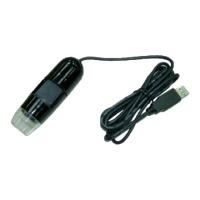
Do you have a question about the Dino-Lite AM413T and is the answer not in the manual?
Specifies the PC requirements for the microscope.
Outlines the steps to install the device driver.
Introduces the DinoCapture application for image and video capture.
Explains the functions of the DinoCapture toolbar icons.
Describes the thumbnail folder within the DinoCapture software.
Explains the meaning of thumbnail color coding.
Details how to capture still images using the software.
Details how to capture video clips using the software.
Explains how to capture time-lapse video sequences.
Describes the process of saving captured images or videos.
Explains how to email captured files.
Describes how to share captured files.
How to view the real-time display in full screen mode.
Explains the options available in the File menu.
Describes the settings and configuration options.
Allows selection of audio quality for recording.
Allows adjustment of video parameters.
Enables selection of video compressors for recording.
Controls the visibility of the Dino Cursor.
Enables/disables auto-play of thumbnails.
Details the functions available in the Capture menu.
Access to help resources and program updates.
Explains functions like Save, Copy, Mail, Share for pictures.
Explains functions like Play, Stop, Pause for videos.
 General
| Brand | Dino-Lite |
|---|---|
| Model | AM413T |
| Category | Microscope |
| Language | English |

 To Next Page