EN
The camera ID will show up. Enter the default password 123456 and
save the settings. When the Green LED long ashes once followed by
2 short ashes, it means the direct wireless connection is success fully
established. You’ll see the camera view right now. Please go on to Step
4.
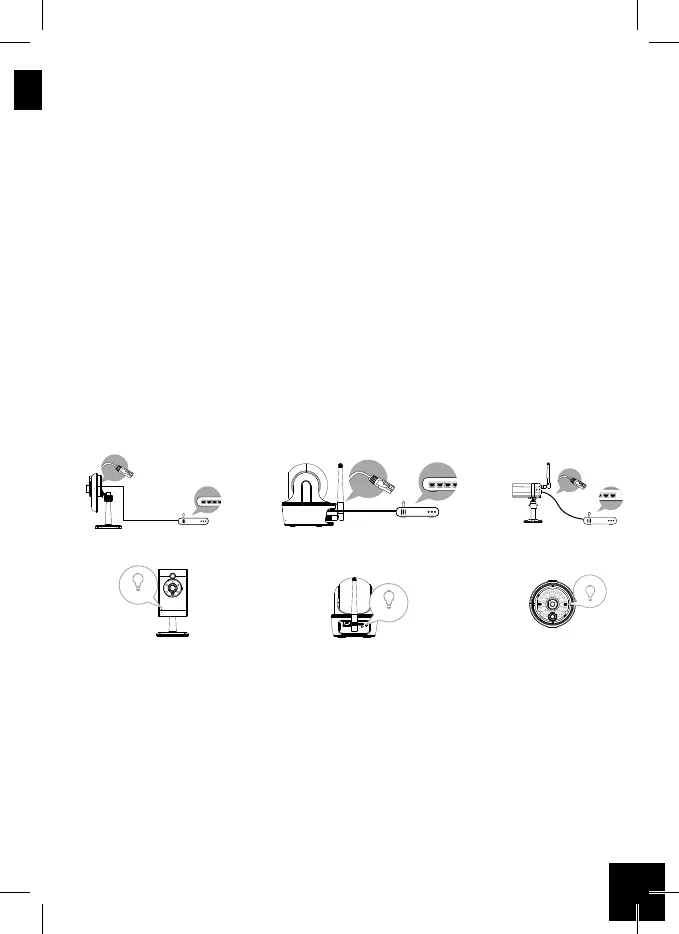
3b. Connection via Ethernet cable.
• Connect your mobile device to your home router. Connect camera to
your home wi router using Ethernet cable then power on the camera
• Camera will take 40 seconds to connect to router, when done, Green
LED will stay ON.
• From the APP, tap the “Search” button to locate the camera. Enter the
default password123456.
• Then save the settings.
Note:
Camera ID (DID) is a set of alphanumberic characters that you can nd
on camera body. Please secure the Camera ID somewhere safe when
you complete the settings.
EC-CA-02 EC-CA-03 EC-CA-04



 To Next Page