EN
Setup the camera
1. App download.
Download the APP from APP Store/Google Play.
APP name:is l’App Store ou Google Play.
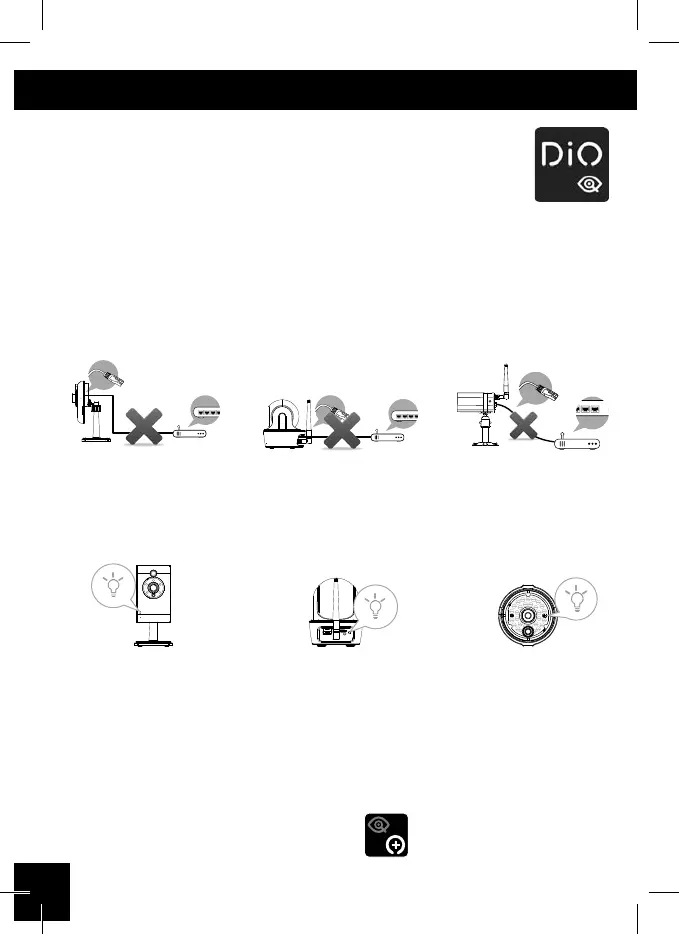
2. Power up the camera.
Plug in power adapter.
do NOT plug in Ethernet cable !
When GREEDN LED starts a repeat cycle of one long ash followed by 3
short ashes, the camera is ready for Direct Wireless Connection.
Normally it takes less than 1 minute.
3a. Direct Wireless Connection.
• Go to the Wi-Fi setting on your mobile device.
• Choose the Wi-Fi router with prex of HD-xxxxxx
(xxxxxx=Camera ID numbers).
• Enter the default password 12345678 and save the settings.
• From the APP, tap the «ADD Camera» and then «search» icon.
EC-CA-02 EC-CA-03 EC-CA-04
EC-CA-02 EC-CA-03 EC-CA-04



 To Next Page