EN
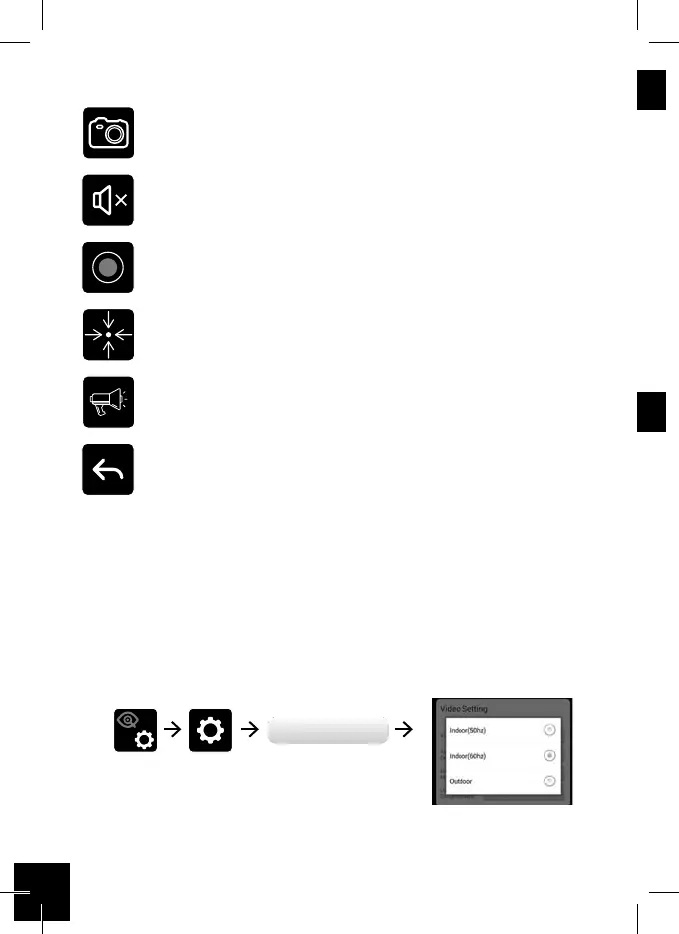
Snapshot
Tap to capture screen images.
Tap to turn on/o the volume in Live View mode.
Tap to record video in device memory card.
Tap to set or return preset point.
Tap and hold the icon to talk in both direction
(Push to Talk).
Tap to return to the main page.
Image Tone Adjustment
Due to dierent types of environment, when necessary, please follow
the steps descripted here to adjust the color tone (warm vs. cool) of
the image.
Avancés
Geavanceerd
Avanzada
Avançadas
Avanzate
Advanced



 To Next Page