© 2005 Directed Electronics, Inc.
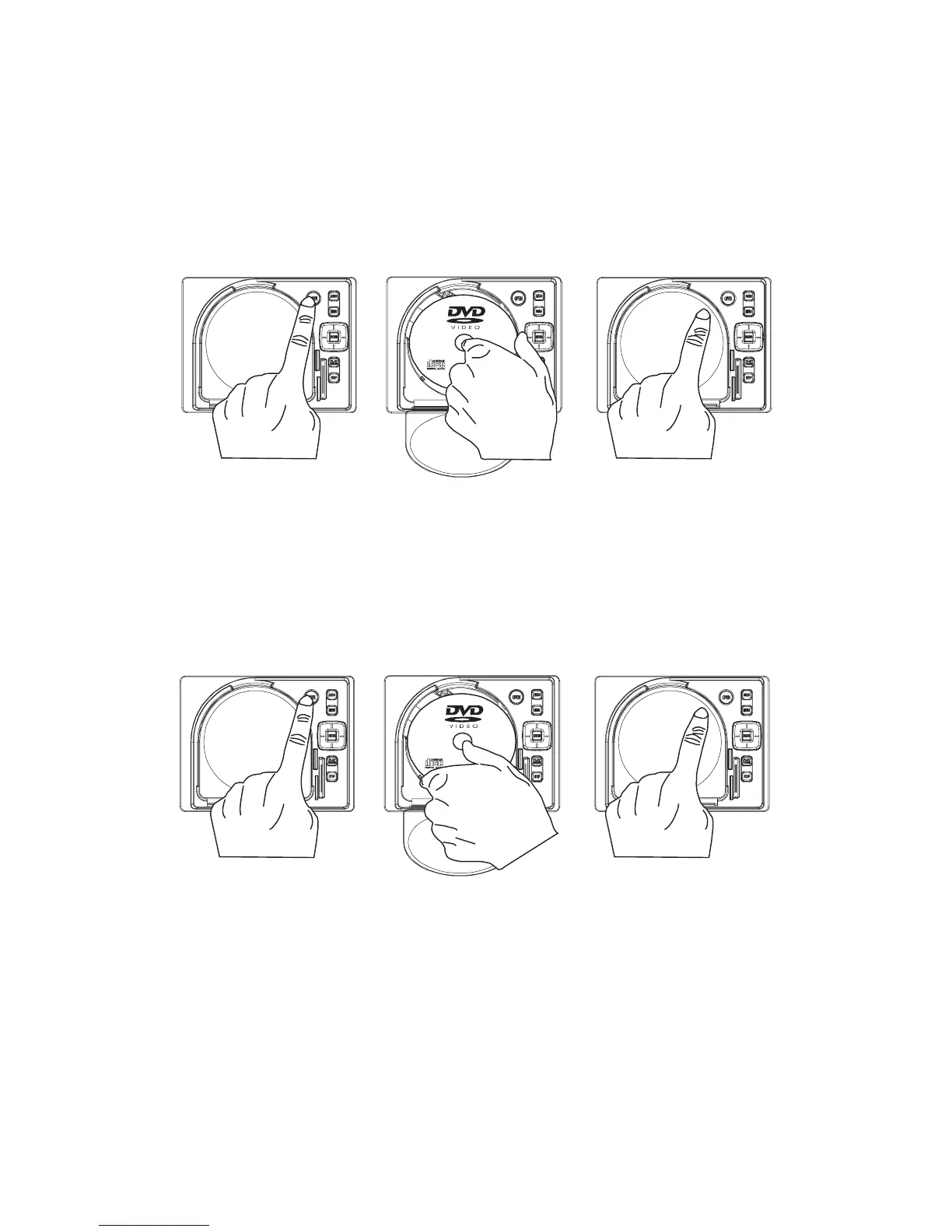
side you want to watch facing up. Ensure that the disc is seated properly before pushing tray back
into its locking position.
3. Push to close the door.
UUNNLLOOAADDIINNGG DDIISSCC
1. Press OPEN at the upper right corner to open the door.
2. Remove the disc. (Avoid touching the recorded surface.)
3. Push to close the door, until you hear a click sound from the door mechanism.


 To Next Page