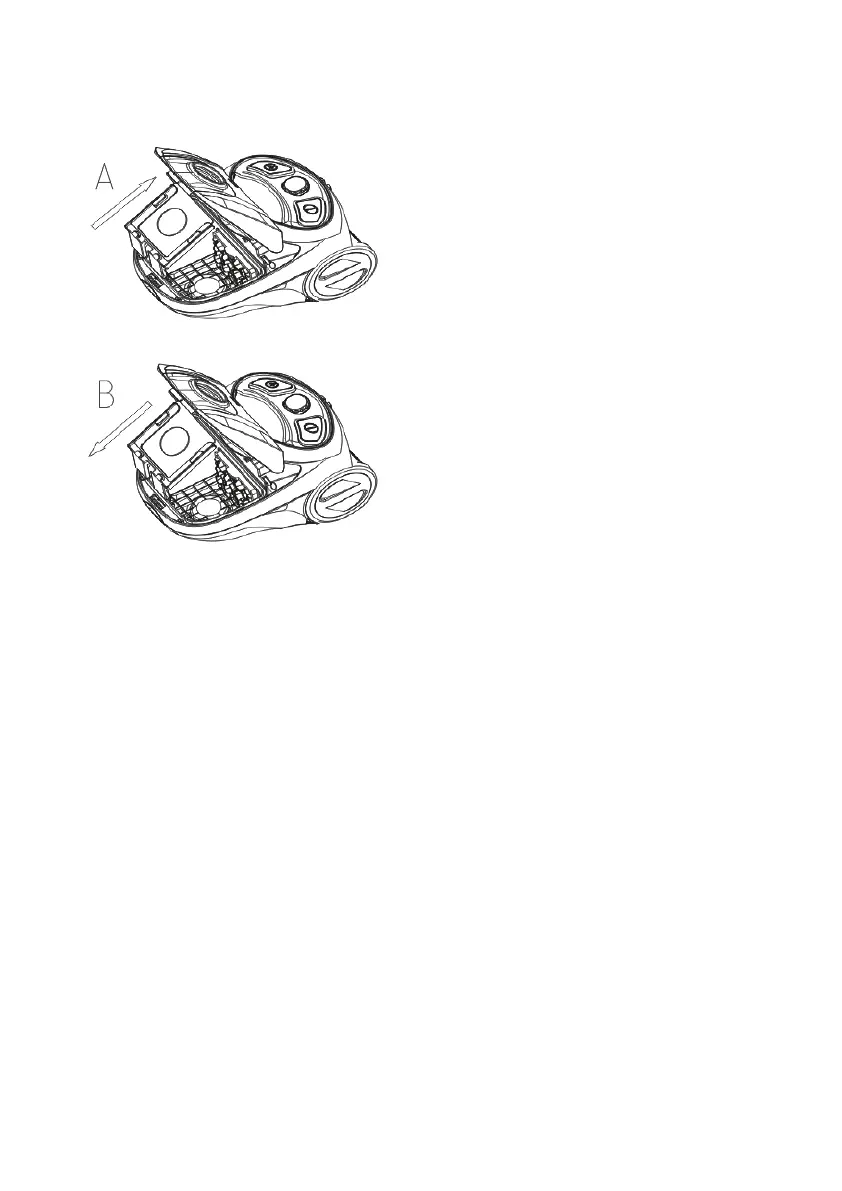
INSTALLING THE DUST BAG
Insert the bag collar into the grooves of dust bag support.(B)
CLEANING THE HEPA FILTER
To maintain the suction of the cleaner, the HEPA lter must be washed
regularly.
1. Remove air outlet Plate (10) before removing HEPA lter.
2. Remove the HEPA lter with the lter grille.
3. Use a soft brush to remove dirt from the HEPA lter.
4. Resemble the HEPA lter back to the place.
5. Then replace the air outlet cover onto the main body.
IMPORTANT: Do not use detergents to clean the lter. The HEPA lter
must be thoroughly dry before the machine is used.



 To Next Page